I've covered every Amazon Prime Day — here's my ultimate playbook for shopping like a pro

Amazon will celebrate its 12th Prime Day on June 23. As deals editor-in-chief at Tom's Guide, I'm excited to cover the event. But another part of me dreads it. What started as a fun, 24-hour sale celebrating Amazon Prime members has morphed into a four-day frenzy offering millions of deals on stuff you may not even want. Additionally, there will be plenty of mediocre deals masquerading as Prime Day deals making the event more confusing than ever.
That's where I can help. I've been covering retail holidays for 19 years. Cyber Monday, Labor Day, 4th of July — you name it. Yes, Prime Day is still a great opportunity to save on items you need, but you just have to shop smart.
Below I'll show you how to shop Prime Day like a pro, avoid overspending, and discover hidden tricks to help you save even more money. Some of these tricks you might be familiar with, whereas others are a little more obscure. So without further ado, here are my top Amazon hacks to help you shop this Prime Day like a pro. (For more deals and shopping tips, check out the Tom's Guide Savings Squad).
Quick Links
- shop all early Prime Day deals
- Amazon Haul: shop deals from $1
- Trade-In: get up to 20% off w/ eligible trade
- Coupons: shop all Amazon coupon codes
- Prime for Young Adults: 50% off right now
- Camelizer: track Amazon price history
- Alexa for Shopping: Amazon's pricing assistant
1. Take a deep dive into Amazon Haul

Think of Amazon Haul as the retailer's bargain bin. Yes, you'll find a lot of cheap stuff in there (hello, random Shy Guy figurine), but you'll also occasionally find deals on name brand apparel from the likes of Under Armour, Adidas, New Balance, and more. My advice is to spend some time searching for items from brands you like. For example, I'm a New Balance fan and a quick search of the brand results in deals for New Balance socks, sneakers, and athletic apparel. Will you find deals on New Balance's newest, best-selling sneakers? Probably not. But you will find deals on sneakers and apparel you can use for everyday workouts.
2. Take advantage of trade-ins
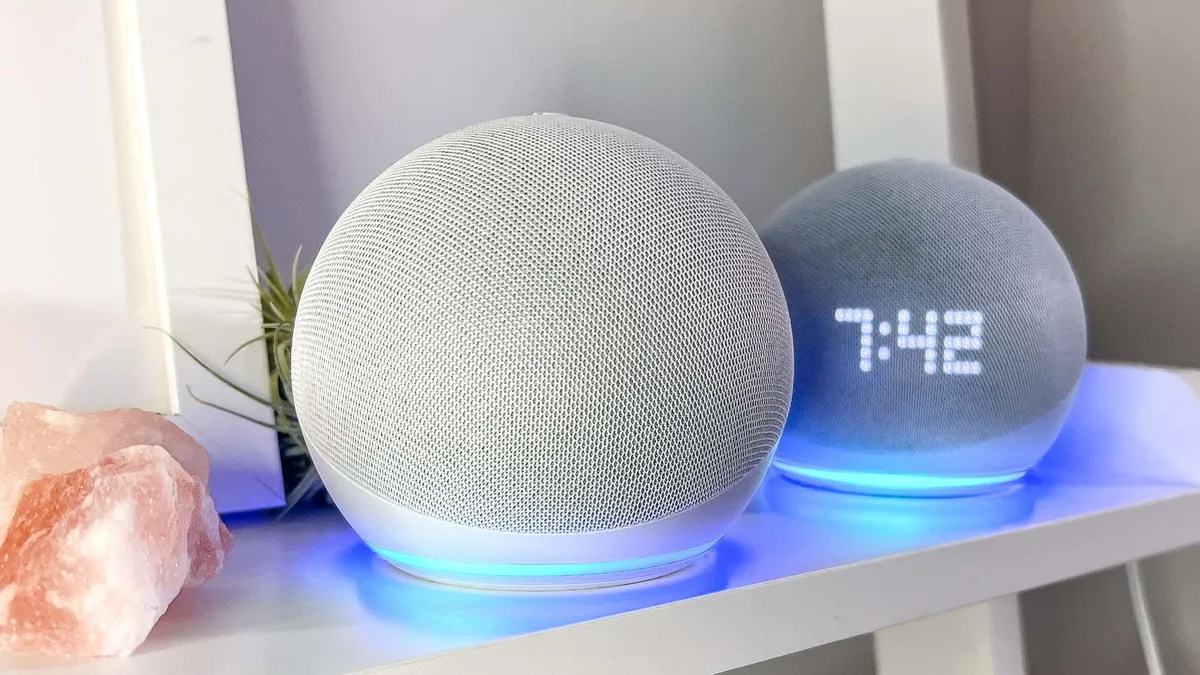
The number one thing I recommend buying on Prime Day is Amazon hardware. Outside of Black Friday, Prime Day is when you'll find the lowest prices on Echo speakers, Blink cameras, and Fire TVs. My hack for saving more money is to take advantage of Amazon’s Trade-In Store. You can trade-in your old devices to get an extra dollar-off discount on Amazon's latest batch of smart home devices. In addition to Amazon devices, you can also trade in cell phones and video games.
3. Look for hidden coupon codes

One of my favorite ways to save money on Amazon is also one of the easiest. Amazon has the tendency to offer Amazon promo codes on thousands of products. At times, the coupon will automatically be applied during checkout. Other times, you have to manually select the digital coupon box to make sure you get the discount. The trick here is that it's very easy to overlook the digital coupons. When available, you'll see a tiny radio box underneath the Amazon price. Click the box and the coupon will be applied at checkout.
Whenever I buy household items, one of the first pages I check is Amazon's digital coupon dashboard page. I've found that eight out of 10 times I'll find a coupon for things I frequently buy like Tide, deodorant, household cleaners, and cough/flu medicine. The coupon section also has a page dedicated to food/grocery items.
4. Get a discount on your Prime membership

There are a ton of benefits to being a Prime member. However, I get that not everyone can afford to pay $139/year for membership. Fortunately, there are a few hacks around that membership price. The easiest is to sign up for Amazon’s free 30-day trial. (This only works for non-members or those who haven’t been a Prime member in the past year).
Alternatively, Prime for Young Adults gives students aged 18 to 24 six free months of Prime. (It's $69/year after your trial). You'll get access to all the same Prime perks, plus you'll get 5% cashback everyday on select purchases.
Meanwhile, if you receive government assistance (Snap EBT), you can save 50% on your Prime membership and still enjoy all the perks of a full membership.
5. Always shop with Alexa for Shopping or Camelizer

Not every deal you come across on Amazon will save you money. To find out if a product is truly on sale I like using CamelCamelCamel, a website that displays the price history of most items sold on Amazon. Just paste the product's full Amazon URL in CamelCamelCamel and the site will show you a price chart outlining that device's price history on Amazon. Personally, I prefer to use their browser extension, The Camelizer, which lets you glance at price charts directly from your browser. Keep in mind it doesn’t track everything Amazon sells and price history isn’t always 100% accurate, but it’s an excellent tool every Amazon shopper should use.
Alternatively, you can use Amazon's own AI assistant, Alexa for Shopping. On mobile, you can activate it by clicking on the "Price history" text next to a product's price or by clicking on the Alexa for Shopping icon on any product detail page (bottom right corner in the Amazon shopping app). On desktop, click on the "Alexa for shopping" near the top left navigation bar and ask it to show price history.
6. Opt for less popular colors/configurations

Not everyone wants the Berry colored Pixel 10a. As a result, Amazon tends to offer bigger discounts on less-coveted devices. So while the Obsidian-colored Pixel 10a may sell for list price, the other colors might be $50 off. I see this everyday when searching for deals on Amazon. It applies to phones, tablets, sneakers, appliances, and pretty much any item that's available in multiple colors. Likewise, sometimes the higher priced configurations (e.g. the 1TB model) might receive steeper discounts than the base models. Bottom line — not all Amazon deals are cut from the same cloth, so it’s worth checking all configurations of a device until you find the best price.