


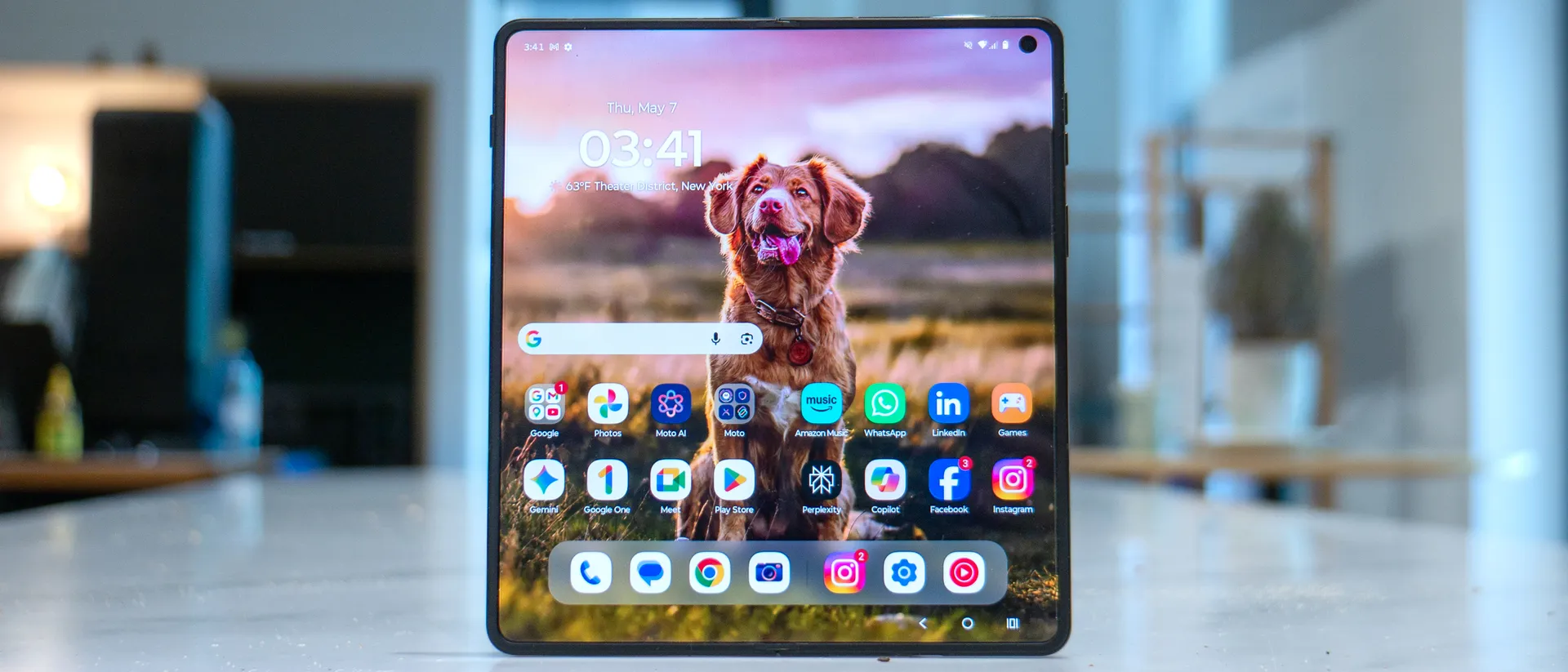
Tom's Guide Verdict
For its first attempt at a notebook-style foldable, the Motorola Razr Fold impresses on so many levels. From its rugged design, long lasting battery life, superb camera performance, and multitasking, it truly represents everything you need in a foldable — and it's also cheaper than the Galaxy Z Fold 7.
Pros
- +
+Record setting battery life
- +
AI-enhanced camera zoom
- +
More robust Smart Connect experience
- +
Rugged and durable design
- +
Charges incredibly fast
Cons
- -
Weird app transitions between main and cover displays
- -
Not as many new AI features
Why you can trust Tom's Guide Our writers and editors spend hours analyzing and reviewing products, services, and apps to help find what's best for you. Find out more about how we test, analyze, and rate.
When the Galaxy Z Fold 7 launched last year, it put Samsung even further ahead of everyone else in the race to make the foldable phones. That put a lot of pressure on its rivals, including Motorola, which — despite having been making flip-style phones for years now — is about to take on Samsung with its first notebook-style device in the Razr Fold.
The moment I picked it up, I felt skeptical about its performance, knowing how its flip foldables never won me over with their camera performance. However, after testing it for a week, I’m convinced more than ever that it’s the closest thing to a laptop replacement I've used. That’s saying a lot, but it’s even more impressive given how it undercuts the Galaxy Z Fold 7 with a lower starting price of $1,899.
In my Motorola Razr Fold review, I’ll show you why it’s the best foldable phone around.

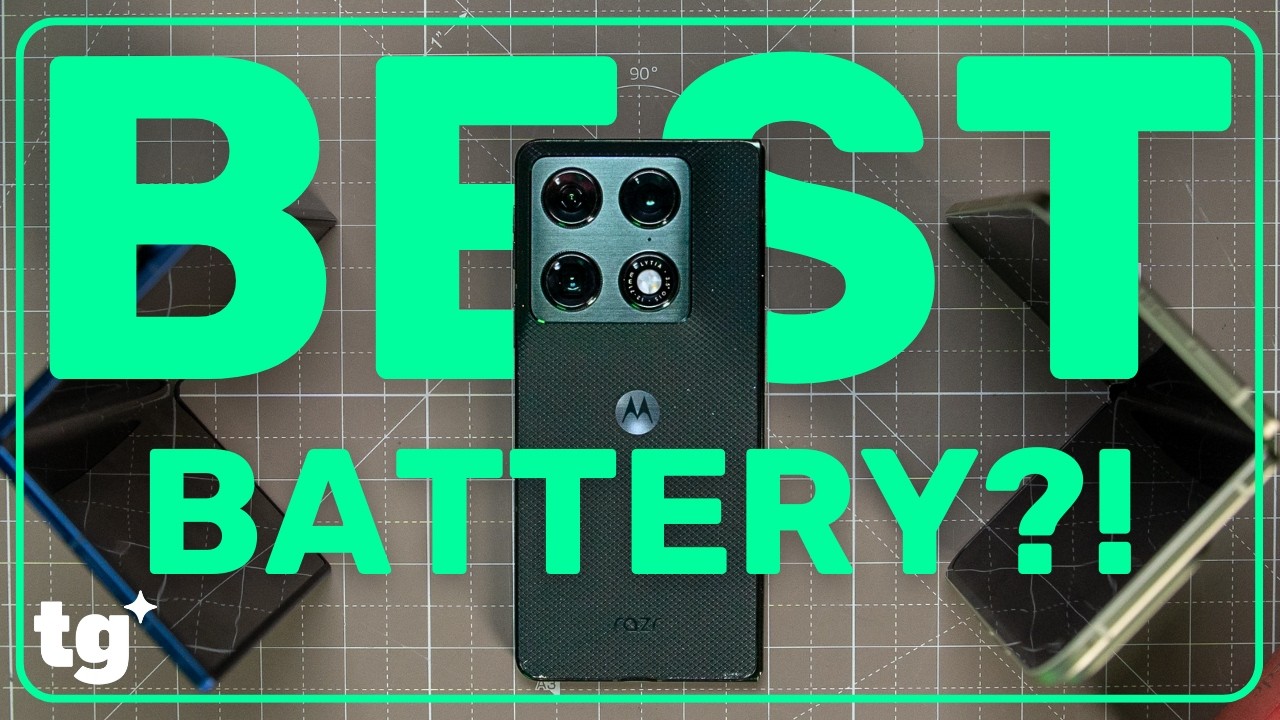
Motorola Razr Fold review: Specifications
| Header Cell - Column 0 | Motorola Razr Fold |
|---|---|
Starting price | $1,899 / £1,799 / €1,999 |
Main Display | 8.1-inch pOLED inner (2484 x 2232) |
Cover Display | 6.6-inch pOLED outer (2520 x 1080) |
Refresh rates | 120Hz main, 165Hz cover |
Rear cameras | 50MP main (f/1.6), 50MP ultrawide (f/2), 50MP 3x telephoto (f/2.4) |
Front cameras | 32MP main selfie (f/2.4), 20MP cover screen selfie (f/2.4) |
Chipset | Snapdragon 8 Gen 5 |
RAM | 16GB |
Storage | 512GB |
Battery | 6,000 mAh |
Charging | 80W wired, 50W wireless |
Operating system | Android 16 |
Water/dust resistance | IP48, IP49 |
Size | Open: 5.69 x 6.30 x 0.19 inches (144.46 x 160.05 x 4.55 mm) Closed: 6.3 x 2.90 x 0.4 inches ( 160.05 x 73.6 x 9.89 mm) |
Weight | 8.6 ounces (243 grams) |
Colors | Pantone Blackened Blue, Pantone Lily White |
Motorola Razr Fold review: Price and release date
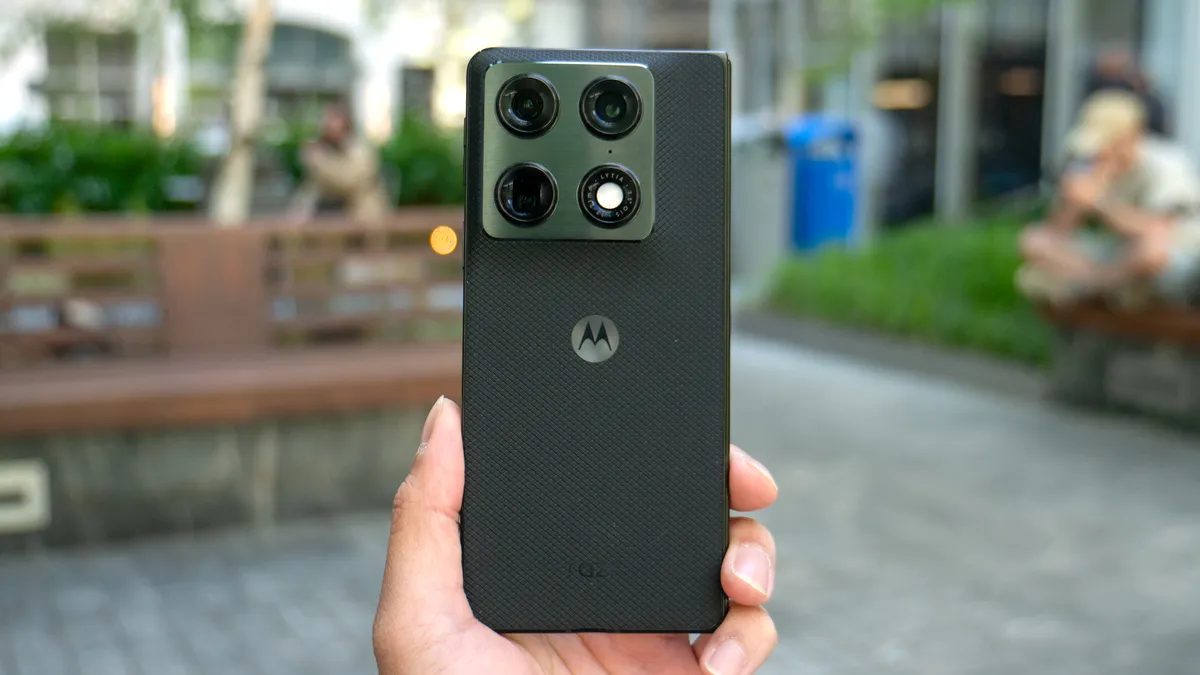
Shockingly, the U.S. price for the Motorola Razr Fold is $1,899 — which is $100 less than the Galaxy Z Fold 7. What makes it even more valuable than Samsung’s foldable in my eyes is that it comes standard with 512GB of storage. In an era where electronics prices are spiraling out of control, I’m genuinely surprised by Moto’s aggressive pricing strategy.
Preorders for the unlocked version start today, May 14, through Motorola’s website — with the official release following on May 21. While it's a Motorola exclusive for now, the phone is expected to arrive at other retailers and wireless carriers in the coming months. It's available in two colors: Pantone Blackened Blue and Pantone Lily White.
Motorola Razr Fold review: Design
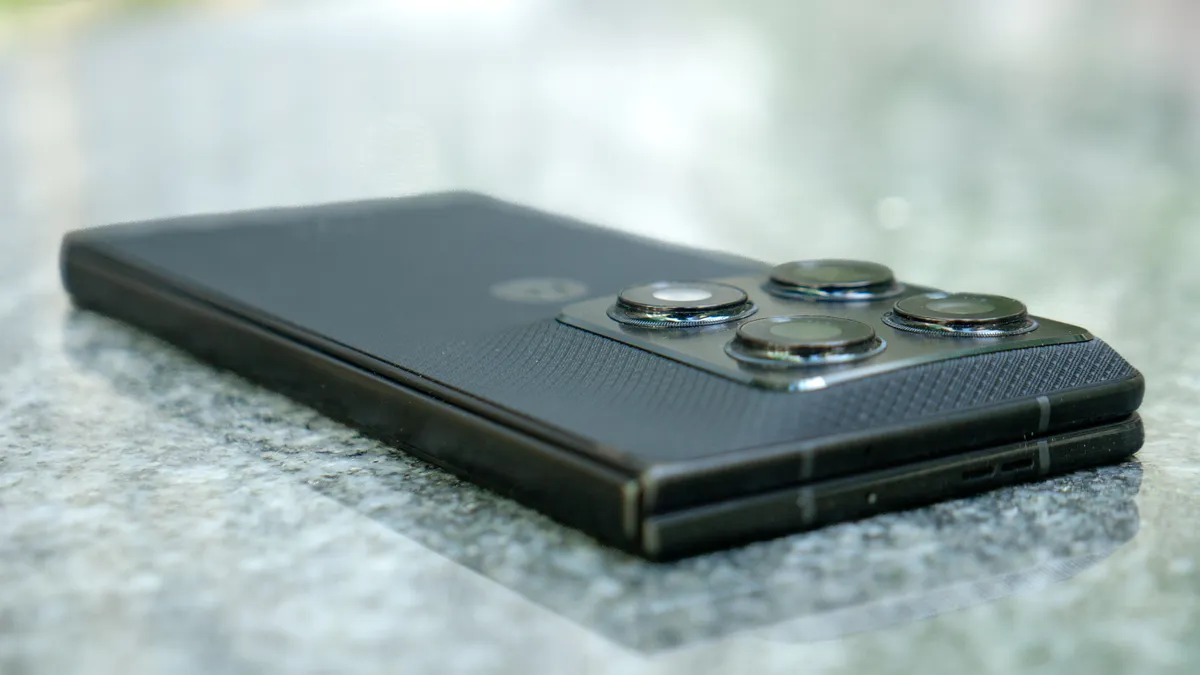
Given its heritage, you’d think the Razr Fold would be designed to be thinner and lighter than the Galaxy Z Fold 7, but that’s not the case. Honestly, it doesn’t need to be because it feels significantly more durable and less fragile.
Even at its thinnest point — a mere 4.5mm when opened — the Razr Fold remains impressively svelte for a notebook-style foldable, and it's still technically thinner than the Pixel 10 Pro Fold. I’m particularly drawn to the somewhat rugged nature of the design, which combines a textured rear casing, titanium inner screen plate, stainless steel teardrop hinge, and Corning Gorilla Glass Ceramic 3. This construction earns it IP48 and IP49 ratings, making it resistant to water and dust while offering superior drop protection.
While the square camera cutout gives off iPhone 16 Pro vibes, the textured feel of the back casing assures me it'll hold up better than the glass and fabric surfaces found on other phones. I also love how incredibly rigid the hinge feels as I open it to reveal the main display. My only minor gripe is the limited color selection, so I wish it were available in something beyond just black or white.
Motorola Razr Fold review: Display
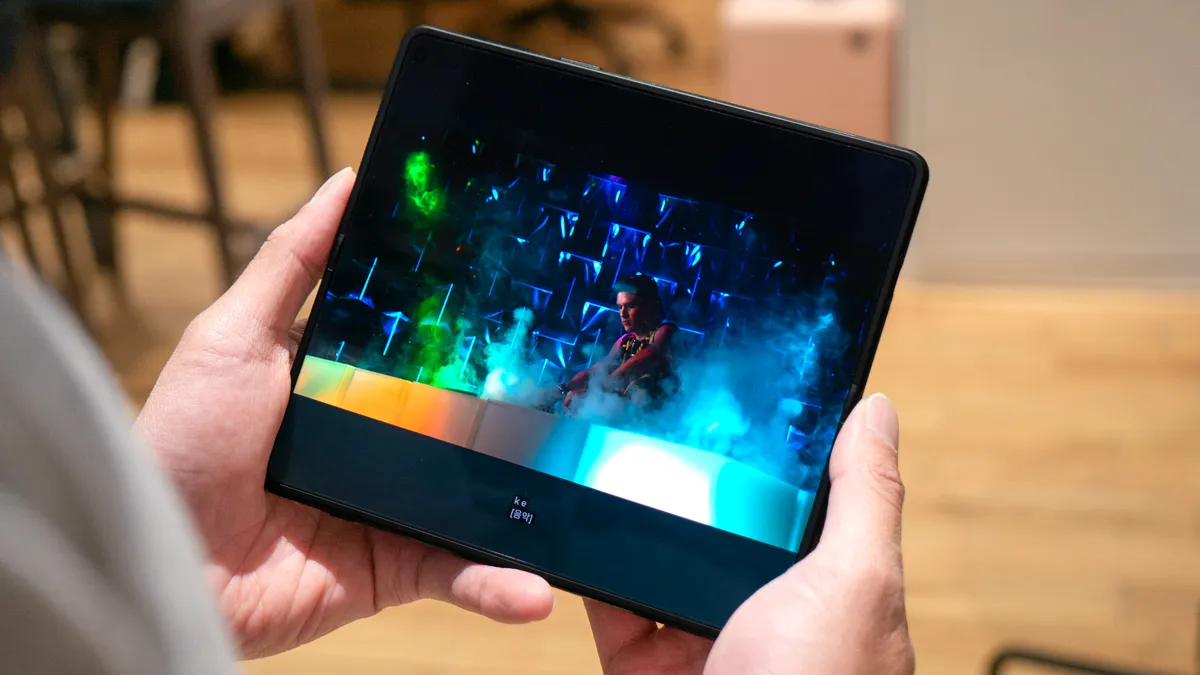
It’s worth mentioning that the Razr Fold boasts the largest displays of any phone on the market right now, consisting of an 8.1-inch pOLED main display and a 6.6-inch pOLED outer screen. While they're larger than those found on the Galaxy Z Fold 7 and Pixel 10 Pro Fold, the increased size doesn’t necessarily make the device more unwieldy to use.
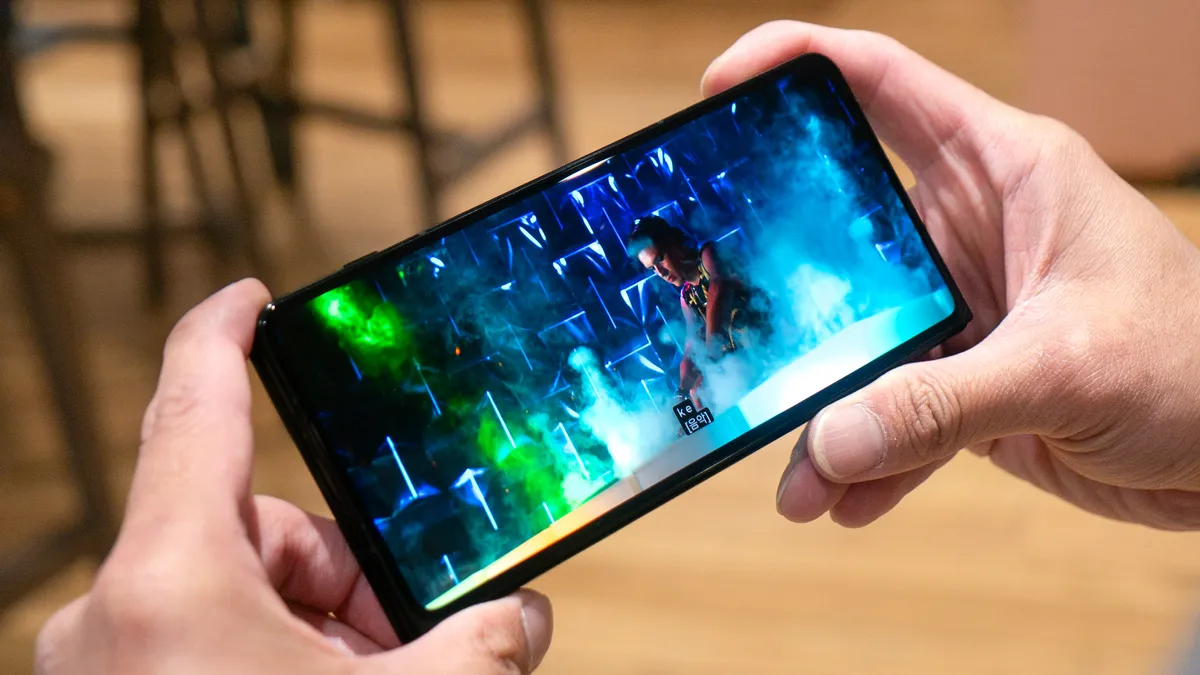
Both displays look sharp, offer incredible viewing angles, and deliver vibrant colors that make either screen ideal for watching videos or getting work done. On the 8.1-inch main display, Motorola does an excellent job of minimizing the crease running down the middle. In fact, it’s much more subdued than the one on the Galaxy Z Fold 7.
| Row 0 - Cell 0 | Peak Brightness | Color | Accuracy | |
Razr Fold | 2,192 | 88.5% / 159.6% (Natural / Vivid) | 0.20 / 0.35 (Natural / Vivid) | |
Galaxy Z Fold 7 | 2,310 | 96% / 105.2% (Natural / Vivid) | 0.22 / 0.28 (Natural / Vivid) | Row 2 - Cell 4 |
Pixel 10 Pro Fold | 2,566 | 74% / 86.5% (Natural / Adaptive) | 0.25 / 0.34 (Natural / Adaptive) |
|
The main display didn’t quite hit the same peak brightness as its rivals in our testing (as seen in the chart above), but don’t let the 2,192-nit peak brightness fool you — it's incredibly bright by any standard and makes streaming my favorite shows a breeze. The outer screen is equally impressive to use.
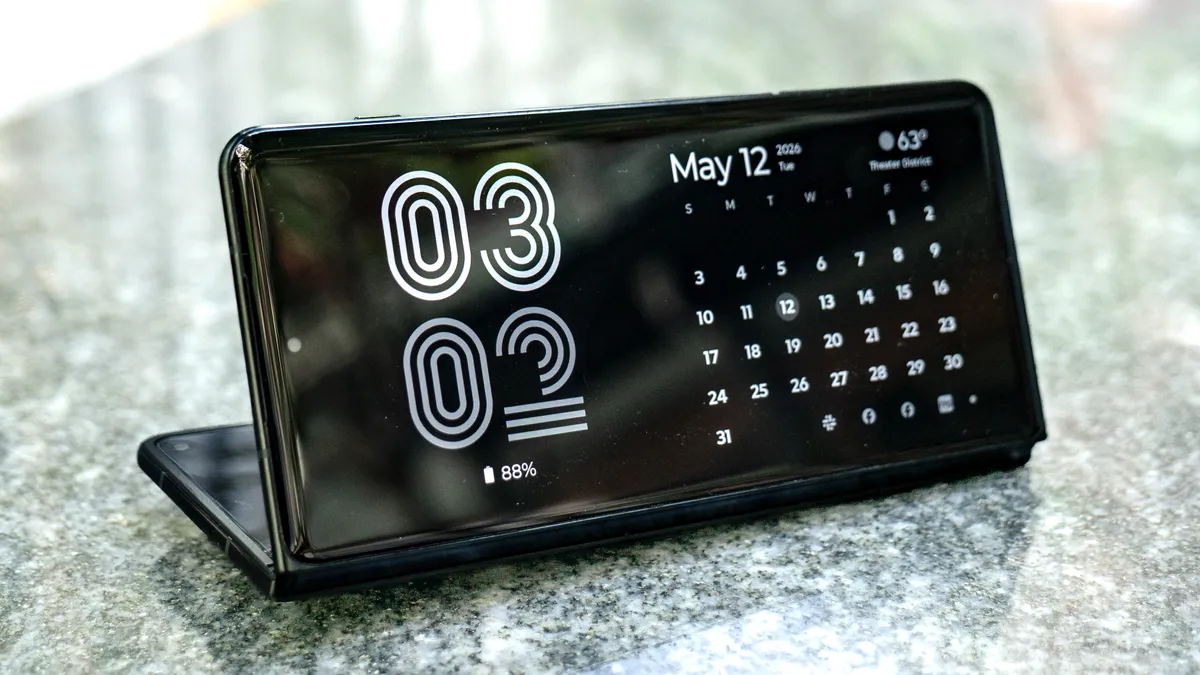
What really makes these displays compelling is how Motorola adds utility through its Desk and Laptop modes. Desk Mode functions much like the iPhone’s StandBy Mode, which activates by folding the phone halfway and placing it on a level surface. It displays the time, calendar, weather, and notifications, so it’s a great companion that essentially serves as the perfect deskside clock while I’m at work.
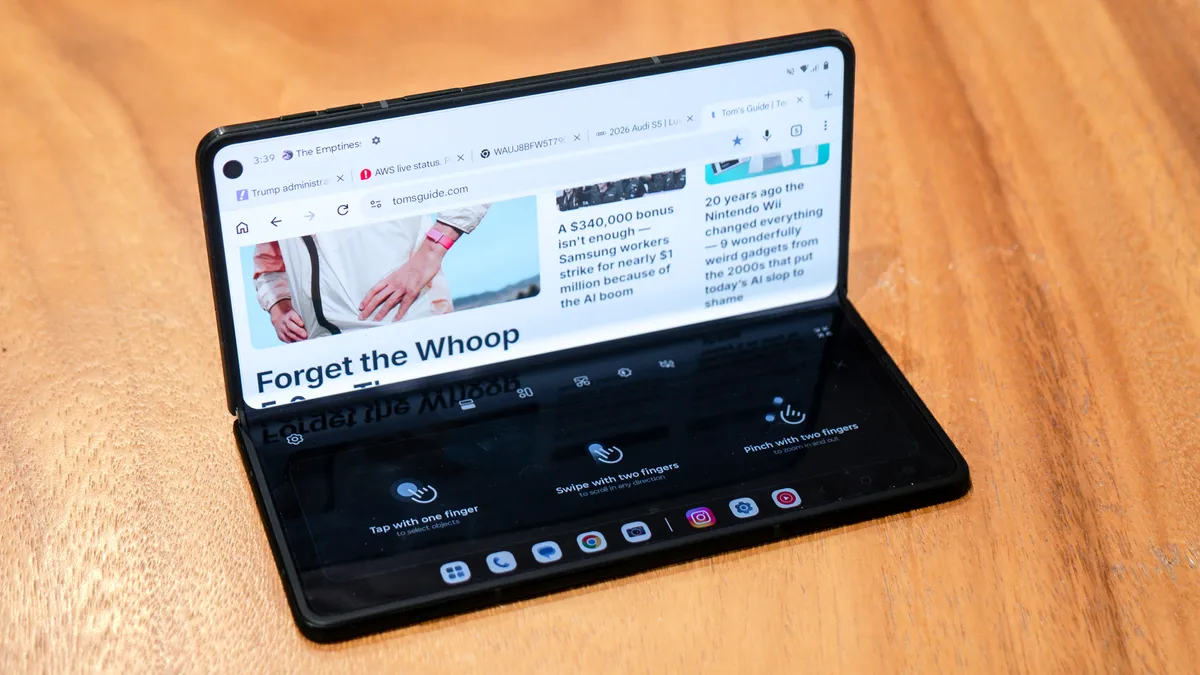
Meanwhile, Laptop Mode makes the Razr Fold feel remarkably like a traditional laptop by transforming the bottom portion of the main display into a digital trackpad, which can then convert into a keyboard for typing. The digital cursor is particularly helpful when I’m trying to select specific text in Chrome, and it even supports gestures for zooming. While it doesn't work with every app yet, it’s undoubtedly a great addition to the experience.
Motorola Razr Fold review: Camera
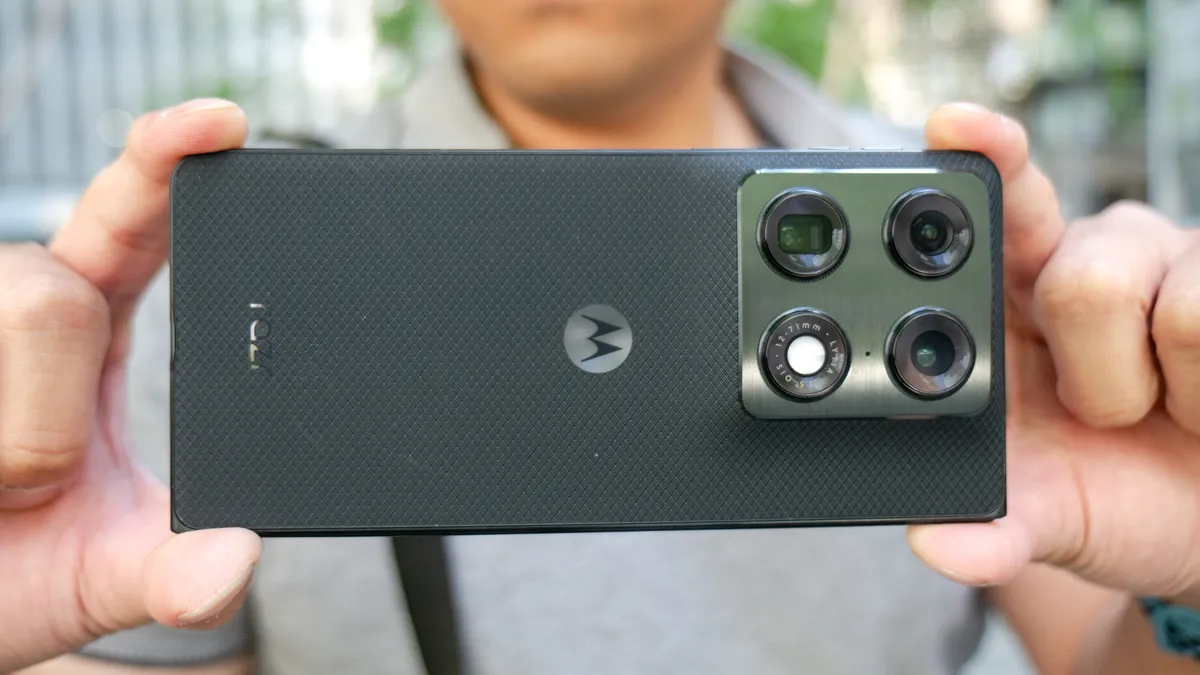
Camera performance has always been an area of opportunity for Motorola, as its flip-style phones have consistently come up short against Samsung’s Z Flip series. However, the Motorola Razr Fold changes that narrative in a big way through a combination of upgraded hardware and AI-assisted processing.
The triple-camera system on the back consists of a 50MP main sensor, 50MP ultrawide, and 50MP telephoto lens with 3x optical zoom. I want to highlight that 3x optical zoom because while the Pixel 10 Pro Fold seemingly has an advantage on paper with its 5x optical zoom, you’ll see later why that doesn’t necessarily translate to a better real-world experience. For selfies, you have two options: a 20MP camera on the cover screen and a 32MP sensor tucked into the upper right corner of the main internal display.
The camera app includes most of the features I look for, including a robust Pro mode with manual controls for still photography. However, it does lack a dedicated manual video mode like the one available on the Z Fold 7. Despite that omission, there are plenty of other creative modes to explore, such as long exposure, dual-capture video, and a fun photo booth setting.
Since this is a foldable, I especially appreciate the added versatility of using the cover screen to vlog or capture higher-quality selfies with the primary rear cameras. If you frequently record yourself, being able to preview your framing on the external display is an incredibly useful tool that sets it apart from traditional slab phones.
Without zooming in to see all the details, my eyes are immediately drawn to the Razr Fold’s shot of the Kia K4 Hatchback, as the entire image pops significantly more due to its brighter tone. When I do zoom in, the Razr Fold’s over-sharpened look makes individual water droplets on the car stand out far more than they do in the shot from the Galaxy Z Fold 7.
Compared to the Pixel 10 Pro Fold, the Razr Fold’s ultrawide camera doesn’t just better expose the scene to make the Toyota Camry’s red paint pop — plus it also captures significantly more detail, like the fine markings on the pavement.
The Galaxy Z Fold 7, however, appears to be better equipped for taking macro shots. While the Razr Fold pulls off a pleasing image of the flower, it lacks the definition found in the petals of the Z Fold 7's shot.
Taking selfies with the Razr Fold’s 20MP cover screen camera remains a reliable option, but the details appear a smidge softer than those from the Pixel 10 Pro Fold.
Motorola’s choice to aggressively apply an over-sharpening effect yields good results out of the 32MP selfie camera of the main display. Not only is it way better at drawing out the textures of my hat and hoodie compared to the Z Fold 7, but the warmer color temperature it applies to my skin tone makes it stand out more.
At 3x zoom, the Razr Fold is already proving to be significantly more capable than the Galaxy Z Fold 7. While both phones expose the gazebo scene above identically, the Razr Fold offers superior detail and definition when zooming into any part of the shot.
The true test comes when pitting the Razr Fold’s 50MP 3x telephoto camera against the Pixel 10 Pro Fold’s 10.8MP sensor with 5x optical zoom. In most cases, I’d favor the longer optical zoom, but Motorola’s AI implementation here is truly impressive. Similar to the Pro Res Zoom feature found on the Pixel 10 Pro and Pro XL, Motorola’s equivalent Super Zoom Pro uses AI to intelligently enhance and refine shots taken at 20x and beyond.
As a result, the Razr Fold captures significantly sharper details in the shrubbery and rocks surrounding the gazebo. It almost looks as though I physically moved closer to the scene and captured it with the main camera, but in reality, the way the AI cleans up the shot is pretty astounding.
Finally, there’s low-light performance — an area where Motorola has often fallen behind its rivals. That’s no longer the case here; using the dedicated Night Vision mode delivers properly exposed nighttime shots that avoid looking muddy or soft.
Even though the Galaxy Z Fold 7 produces a brighter image of the tree, the night sky in that shot is riddled with artifacts. In contrast, the Razr Fold keeps the sky looking more authentic while still effectively brightening the foreground. This is exactly the kind of balance I prefer in challenging low-light situations.


Motorola Razr Fold review: Performance
The Razr Fold is powered by the Snapdragon 8 Gen 5 chipset, which shouldn’t be confused with the Snapdragon 8 Elite Gen 5 found in many of the best phones, such as the Galaxy S26 Ultra and OnePlus 15. While it's technically a slight step down from Qualcomm's absolute flasghip silicon, the Razr Fold remains incredibly satisfying to use in real-world scenarios.
Thanks to the high refresh rates on both displays, every action feels responsive and is accompanied by fluid animations. Make no mistake: navigating the interface feels just as snappy as it does on the iPhone 17 Pro Max or Galaxy S26 Ultra. However, synthetic benchmarks place it more in line with the previous-generation Snapdragon 8 Elite chip found inside the Galaxy Z Fold 7.
| Row 0 - Cell 0 | Geekbench 6 (single / multi-core) | 3DMark Wild Life Unlimited (fps) |
Razr Fold | 2,711 / 9,134 | 129.23 |
Galaxy Z Fold 7 | 3,052 / 9,735 | 123.83 |
Pixel 10 Pro Fold | 23,34 / 6,332 | 79.68 |
As you can see from the charts above, its Geekbench 6 scores are a step behind the Galaxy Z Fold 7, though they still comfortably outperform the Tensor G5-powered Pixel 10 Pro Fold. I put the Razr Fold to the test by frequently utilizing its new multitasking mode — which can run up to four apps simultaneously — and it handled the heavy load with excellent responsiveness.
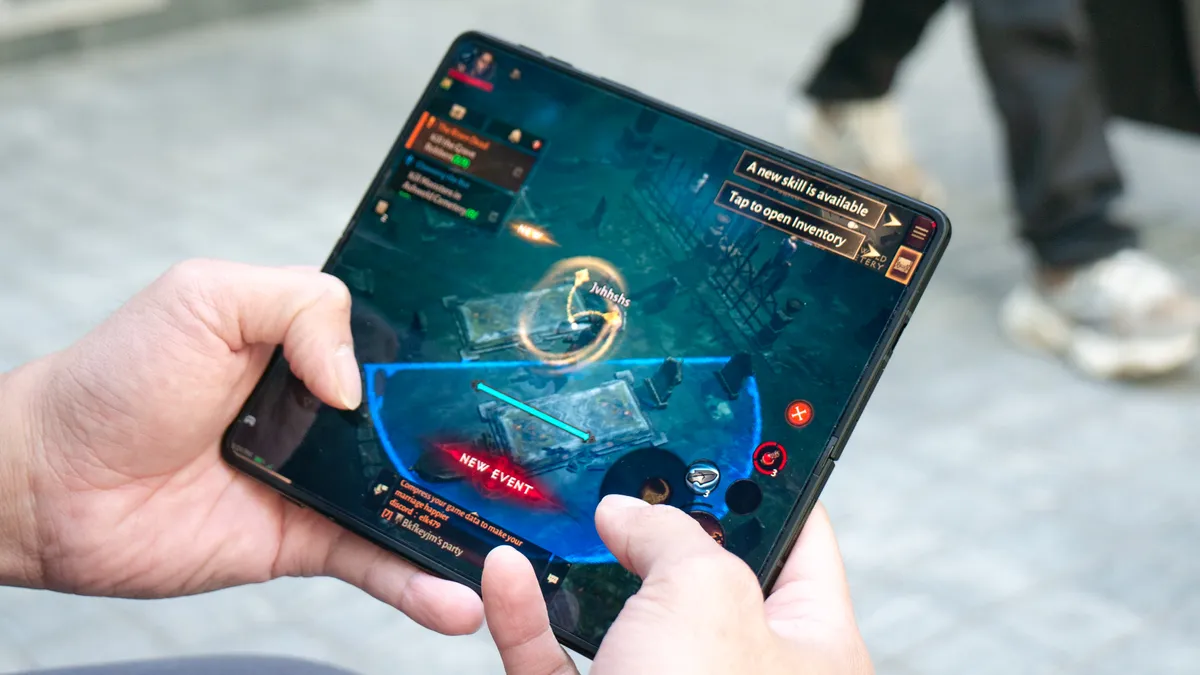
Gaming is equally impressive, especially when taking advantage of the expansive main display. The 129.23 fps average it recorded in the 3DMark Wild Life Unlimited test suggests that its graphics processing is actually smoother than that of the Galaxy Z Fold 7.
I loaded up Diablo Immortal with the graphics settings maxed out, and it performed flawlessly. While the main display offers a more immersive experience, the outer screen is just as capable, with details appearing even sharper due to its higher pixel density.
Motorola Razr Fold review: Battery life and charging
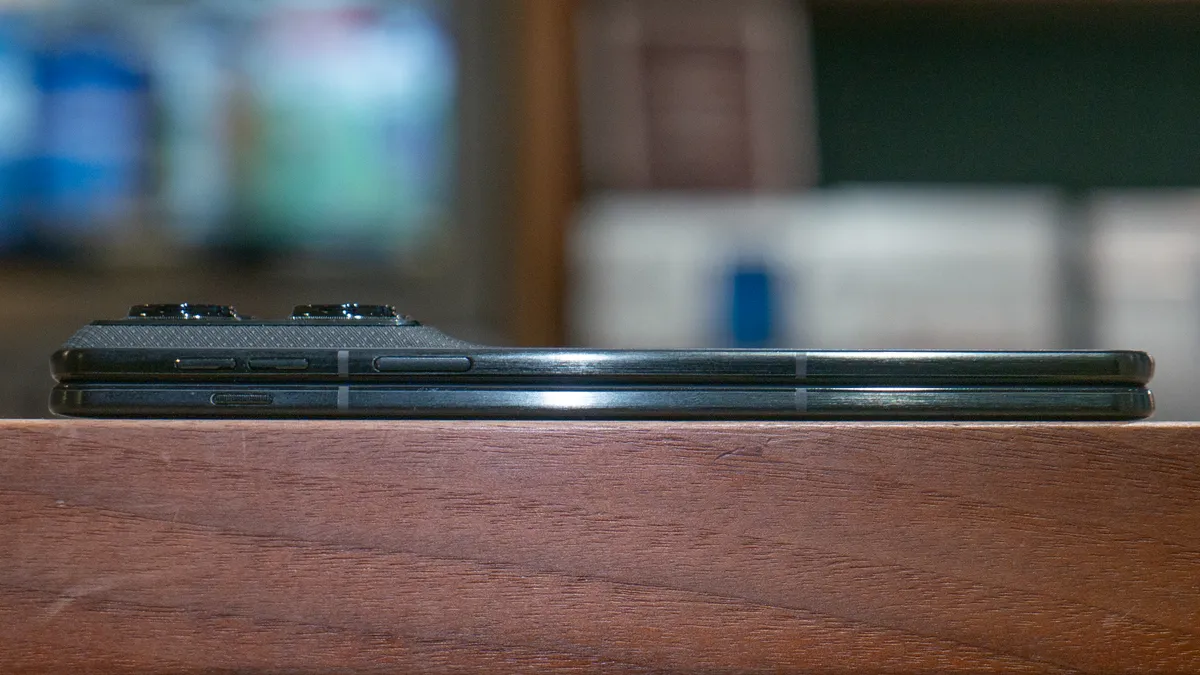
It’s hard to imagine that the Razr Fold isn’t packing a silicone-carbon battery based on the fact that it’s a 6,000 mAh capacity inside of the phone. Nevertheless, I’m grateful that it’s somehow able to cram a much larger sized battery without making it any heavier or thicker than the Z Fold 7. What’s even more surprising is how the Pixel 10 Pro Fold manages a 5,015 mAh battery, but is still thicker and heavier.
Given that massive capacity, it is no surprise that the Razr Fold beats every other notebook-style foldable I’ve tested to date, clocking in at 14 hours and 44 minutes on the Tom’s Guide battery drain test. In comparison, the Galaxy Z Fold 7 averaged 10 hours and 55 minutes running the exact same test.
| Row 0 - Cell 0 | Battery size (mAh) | Battery life (hrs:mins) | Charging % in 15 minutes | Charging % in 30 minutes |
Razr Fold | 6,000 mAh | 14:44 | 42% | 75% |
Galaxy Z Fold 7 | 4,400 mAh | 10:55 | 28% | 54% |
Pixel 10 Pro Fold | 5,015 mAh | 12:16 | 28% | 58% |
My real-world experience has been just as positive over the week I've spent using it as my daily driver. I consistently found the battery above 35% by the time I went to bed, which is a significant improvement over the 20% I typically see with the average flagship. Equally impressive are the charging speeds, which thanks to 80W wired charging, makes the Razr Fold blow away the competition by reaching a 42% charge in just 15 minutes.
Motorola Razr Fold review: Software and AI
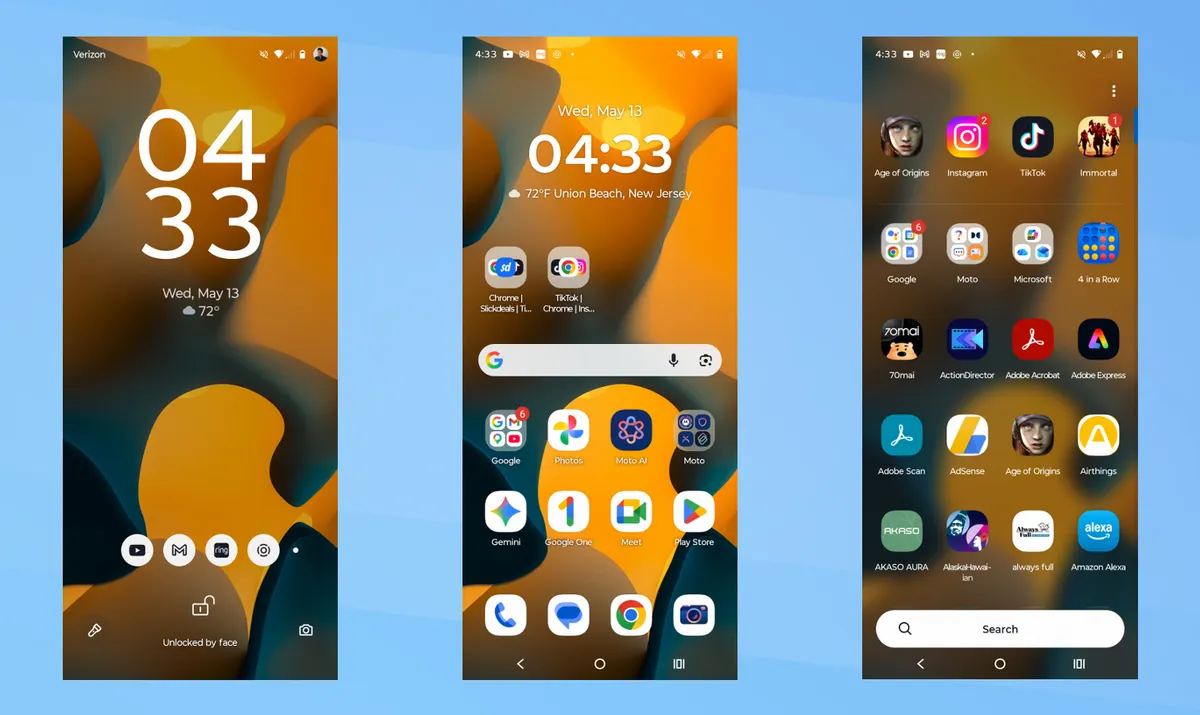
After years of Motorola perfecting the software for its flip-style phones, I was concerned that the transition to a notebook-style foldable might fall short of what Samsung has achieved with the Galaxy Z Fold 7. Fortunately, I’ve been proven wrong because the customized Android 16 experience is packed with optimizations tailored specifically for larger displays.
While the software functions exactly like a standard Android phone on the outer screen, Motorola has intelligently tweaked the experience for the main display. It doesn’t quite feel like the tablet-optimized interfaces found on the best Android tablets — partly due to the screen’s squarish 8:7.2 aspect ratio — but the execution is nonetheless impressive.
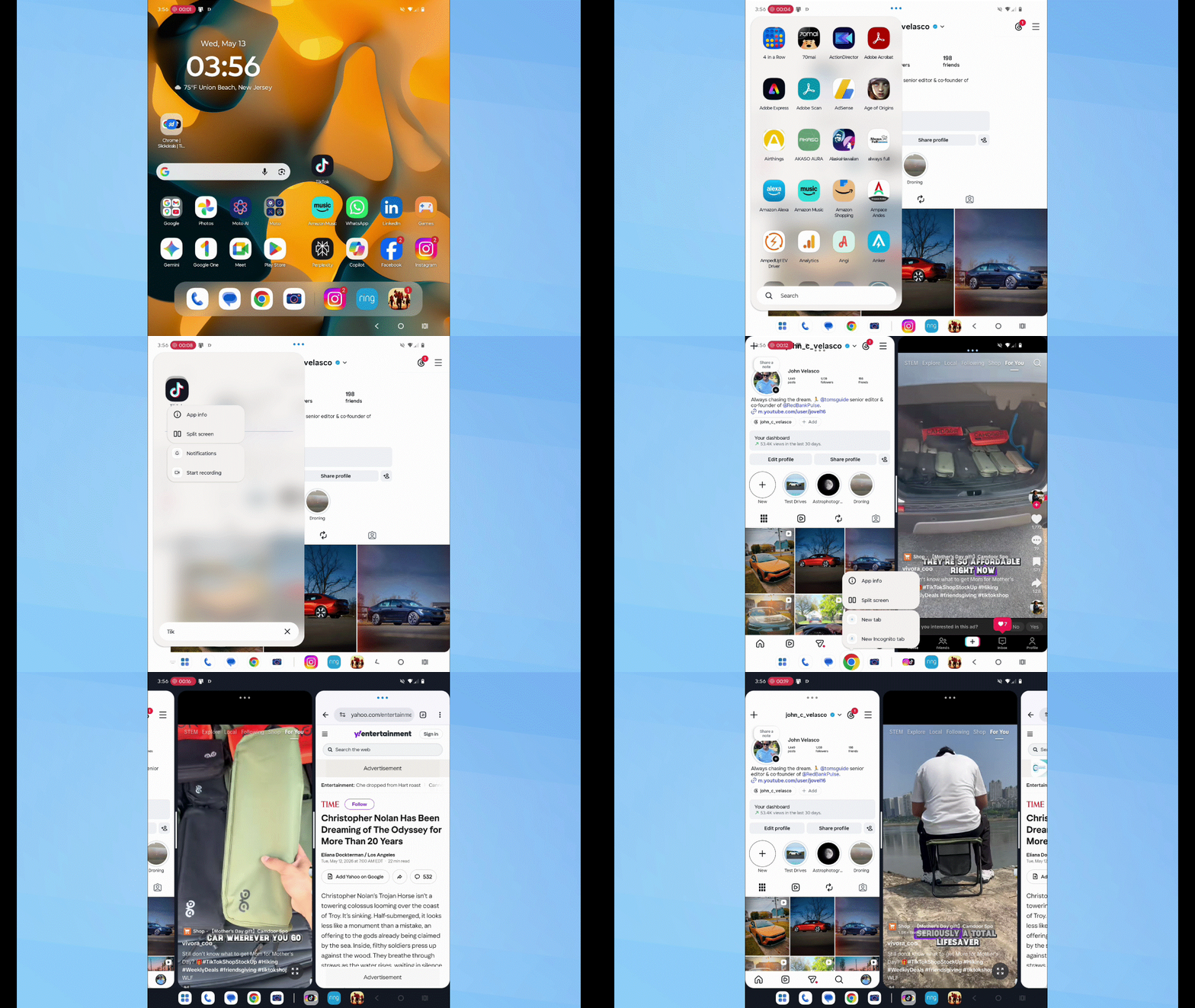
Apps scale beautifully in split-screen mode, and while they can be stacked side-by-side, the way the system handles three or more apps is particularly interesting. As I anticipated, I can add a third app by dragging and dropping it from the apps panel. When three apps are active, two remain in primary view while the third sits slightly off-screen, accessible with a quick tap.
Power users will love the ability to save these app combinations for instant launching later. If you really want to push the limit, you can even add a fourth app in its own floating window.
While this implementation is somewhat similar to the OnePlus Open, it isn’t quite as intuitive as OnePlus’s more dynamic multitasking. However, there is a more significant issue regarding how apps transition between the main display and the cover screen. These inconsistencies seem to point to a broader Android limitation rather than a Motorola-specific flaw.
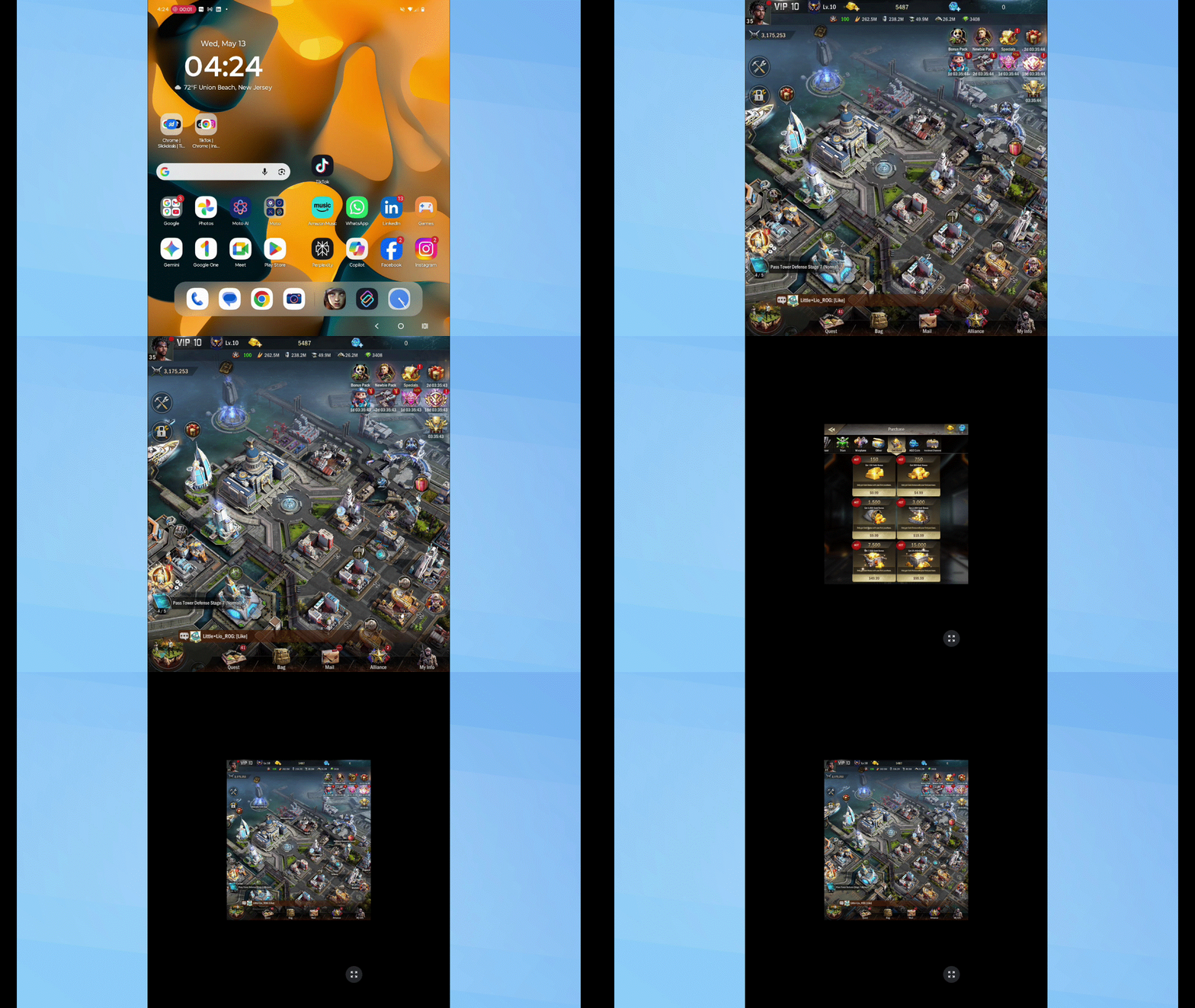
For example, if I launch Age of Origins on the cover screen and then open the device, I’m greeted by black bars on both sides of the game. The software simply stretches the outer screen's aspect ratio onto the larger display.
Conversely, opening the game on the main screen first and then closing the device results in a 1:1 aspect ratio with black bars on the top and bottom of the cover screen. This isn't the seamless experience I expect, and it's an area where Google really needs to step in.

On the AI front, the Razr Fold is well-equipped, though many of the features feel familiar. It carries the same suite of Moto AI tools found on last year’s flip phones — accessible via a dedicated side button — including Pay Attention, Remember This, Catch Me Up, Image Studio, and Playlist Studio. Additionally, users have access to the same major chatbots, with Google Gemini and Perplexity joined this time by Microsoft Copilot.
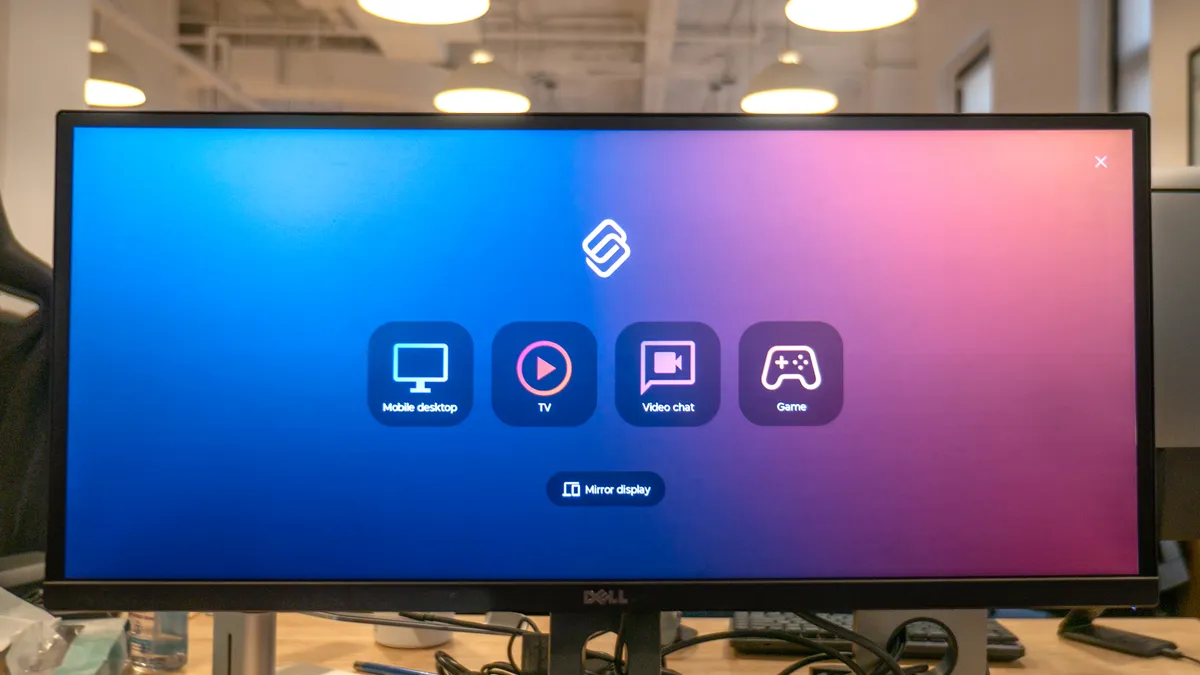
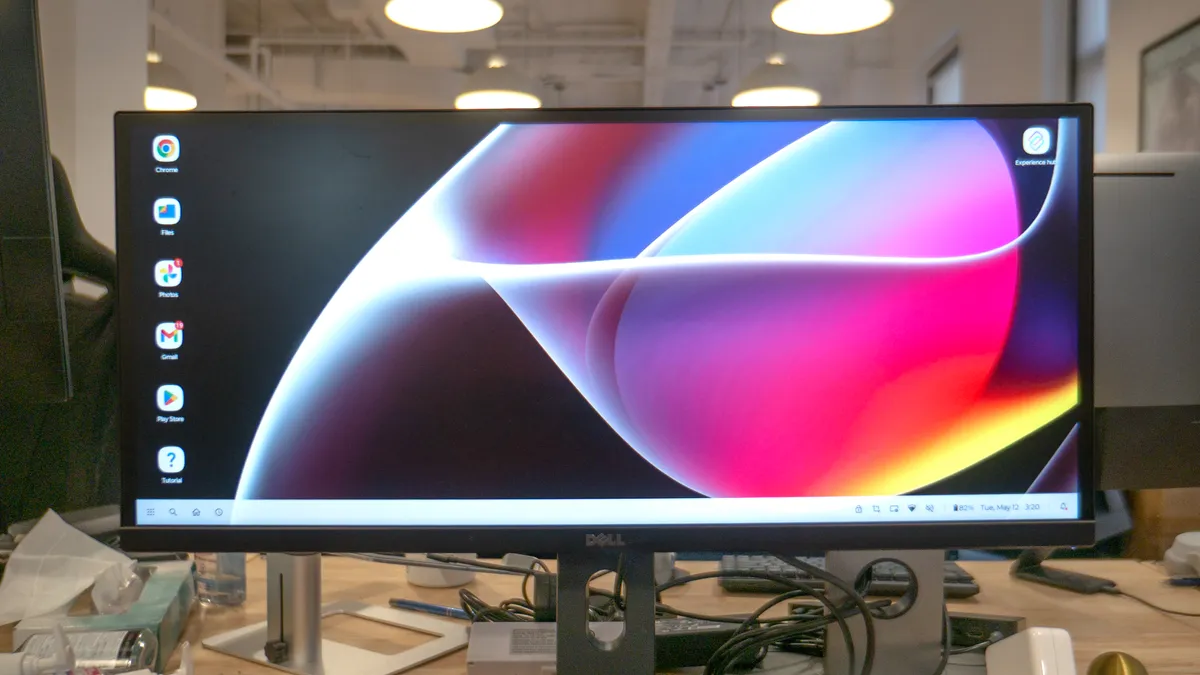
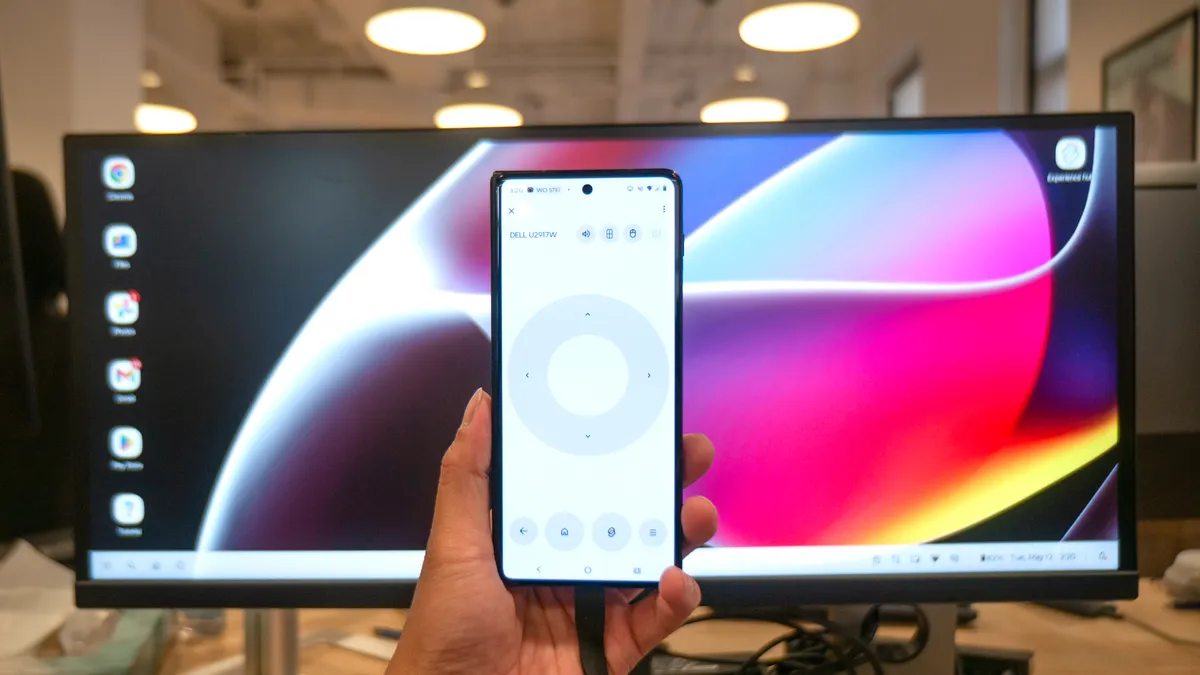

While the new AI features are relatively light, the Razr Fold remains the closest thing to a true laptop replacement I've used. This is largely thanks to an updated version of Lenovo’s Smart Connect. Unlike the Razr Ultra 2025, the Fold supports a wired connection, allowing me to plug in a monitor or smart glasses for a full desktop-like experience on the go.
Not only does this transform the phone’s display into a digital trackpad, but it also allows for superior productivity with side-by-side window management. To top it off, the Razr Fold supports multiple user profiles, making it easy to switch between work and personal accounts. And that's something I can't do with Samsung DeX.
For its first attempt at software for a notebook-style foldable, Motorola has done an excellent job. As I’ve said, it is truly the closest thing to a laptop replacement currently available.
Motorola Razr Fold review: Verdict
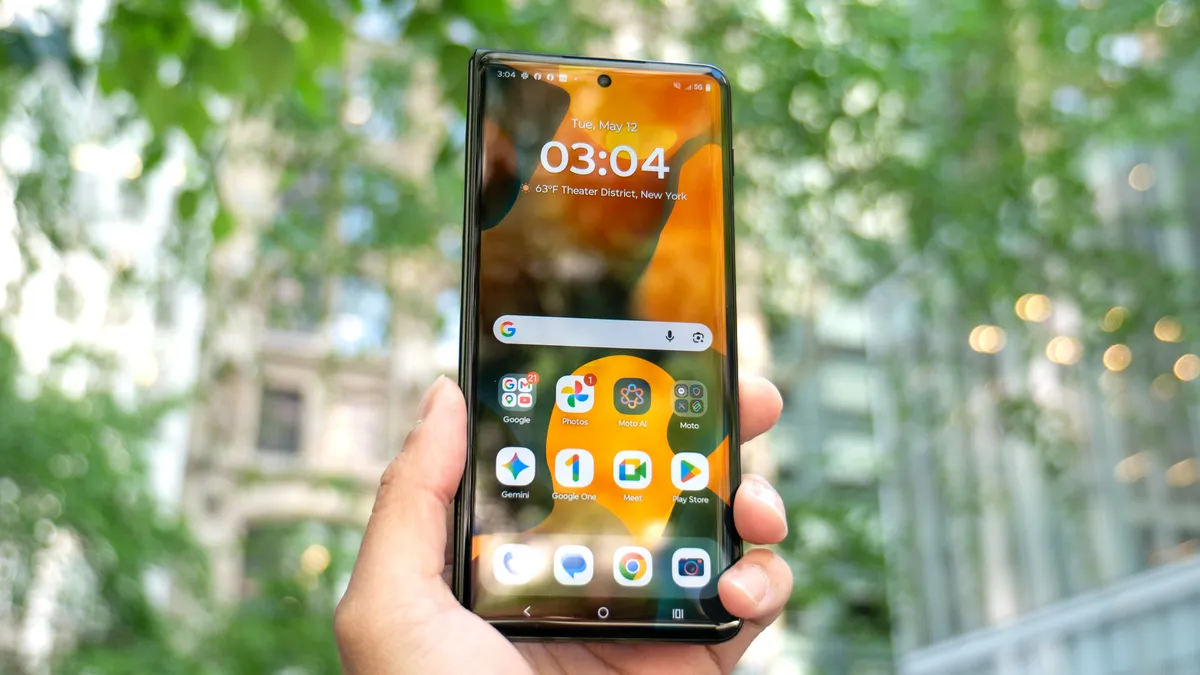
The Motorola Razr Fold is, without question, the best foldable phone on the market right now. For years, Samsung has enjoyed a comfortable lead in this category, but Motorola has managed to overtake its rival by delivering a device that finally feels like the closest thing to being a complete laptop replacement.
By combining a nearly invisible display crease with a robust, rugged design and a massive 6,000 mAh battery that goes the distance, the Razr Fold addresses the two big pain points I have with notebook foldables: durability and longevity.
When you factor in the aggressive $1,899 price point — which undercuts the Galaxy Z Fold 7 while offering double the base storage — it becomes clear that Motorola isn't just competing. It's winning.
That's made more poignant in how it handles multitasking, its desktop-class Smart Connect experience, and the highly novel Laptop and Desk modes that genuine makes it a productivity powerhouse. Even more impressive is how it's shortened the gap with its camera performance, which has historically been a weakness for Moto. If you’ve been waiting for a foldable that justifies its premium price with uncompromising performance, the Motorola Razr Fold is the one to get.

