





After watching the events that unfolded during WWDC 2026, Apple’s clearly not holding back this time around when it comes to AI. From its supercharged Siri AI to the wealth of new Apple Intelligence features in iOS 27, there’s no denying that Apple redeemed itself.
If there’s one thing that caught my attention the most, it has to be none other than Reframe. This tool is one of many new additions to the Photos app. But unlike Clean Up and Extend, Reframe is something truly original that Apple can genuinely call its own.
Shortly after I installed the iOS 27 beta on my iPhone 17 Pro, I tried out Reframe on a few photos I captured — and believe me when I say that it’s ridiculously amazing. Here’s why.

Shoot now, worry later

When I capture photos, there are times after the fact when I wish I'd shot just one more frame. Whether I just need an extra angle or the original wasn’t quite what I wanted, Reframe eases that anxiety because I can fix it in post — and with outstanding results.
In the Photos app, the new Tools icon tucks away all the latest Apple Intelligence features. Reframe instantly analyzes an image, allowing you to shift the perspective entirely. I love this flexibility because I can snap a photo now and adjust it to exactly the angle I need later on.
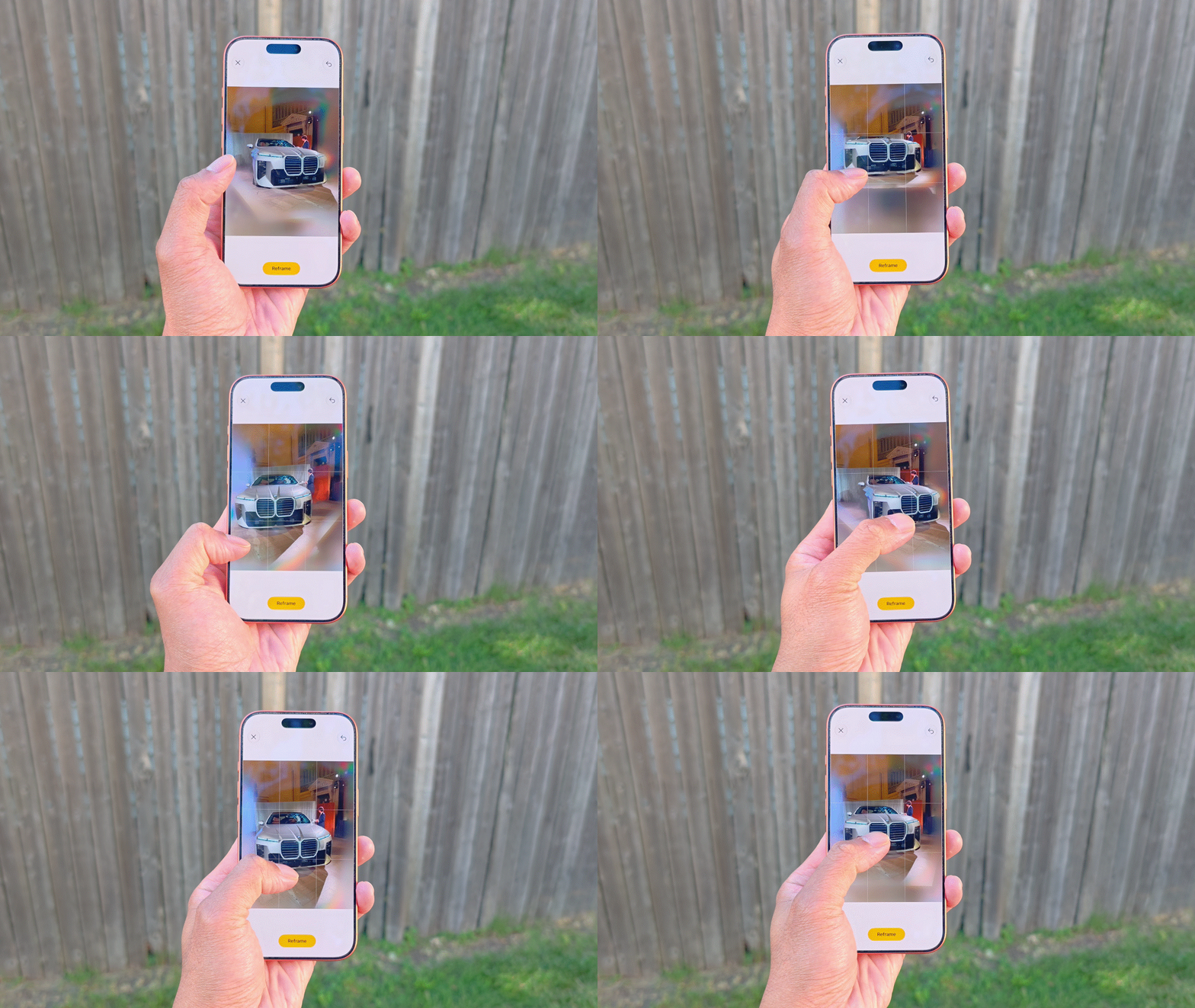
This is an incredible time-saver — and quite frankly — it’s like nothing I’ve come across on any other phone. I’ve been impressed by plenty of AI photo editing tools that can remove objects and fill the voids, but what Reframe is doing here is on a completely different level.
Better-than-expected results


I tried Reframe on a few photos I had in my gallery. The first set above is a perfect example of what a slight shift in angle can do to change the look of a shot. In the original, the camera’s position is level with my face.
Honestly, it’s not bad, but with Reframe, I’m able to make it look like the camera was shooting upward from a slightly lower angle. What makes the generative elements so convincing to me is that it even manages to change the perspective of the background, properly shifting the tree and the horizon downward.


For the second photo, I actually went for the opposite effect — taking a slightly off-angle shot and leveling it out. The result is quite surprising because not only does Reframe deliver a clean, straight-on composition, but it shifts the background perfectly to match. I’m also really impressed by how accurately Apple Intelligence preserves the fine details and textures around the eyes despite the perspective shift.


Finally, I took a photo I shot of the 2027 BMW 7 Series and adjusted it so that more of the car's side profile is visible. I was actually most skeptical about this image because car lines are notoriously hard for AI to replicate, but the result was yet again incredibly convincing.
Bottom line
Apple definitely needed a unique AI feature to call its own, and Reframe hits the mark perfectly. It highlights the impressive capability of Apple Intelligence to analyze a shot and deliver a realistic, re-angled photograph.
Most people might not appreciate everything that’s going on behind the scenes to execute this. The technology likely categorizes different layers within the frame, manipulating them independently to ensure the final image looks natural.
None of Apple's rivals has anything remotely close to this, making it a truly original feature that elevates the entire Apple Intelligence platform. At the end of the day, it’s exactly the kind of tool I can reliably lean on.

Follow Tom's Guide on Google News and add us as a preferred source to get our up-to-date news, analysis, and reviews in your feeds. Alternatively, you can read our content on the Tom's Guide app available now for iOS and Android. Subscribe to Tom's Guide on YouTube and follow us on TikTok. Finally, you can visit our dedicated Tom's Guide Savings Squad hub for expert help on getting the best products for less.
More from Tom's Guide

