There are different types of weekly runs. Sometimes you’ll want to cruise around just to reset your mental bandwidth. Alternatively, you’ll strap on a smartwatch or fitness tracker to help push hard and really break a sweat. If you’ve got one of the best Apple Watches then there’s a handy new feature to help with the latter.
It’s called Race Route and was introduced as part of watchOS 9 last year along with another running-focused feature called Track Detection. Essentially, Race Route lets you compete against yourself on a running route you frequently use.
But, rather than just measuring your splits against past performance when you’re done, the Apple Watch will give you real-time feedback as you’re running. So you can see at-a-glance how you’re faring against the ghost of your previous run. It’s easy to do as well, thanks to the color-coded display. If you’re falling behind, big red numbers let you know how far the gap is, while a speedy performance is rewarded with nice green figures.
If during the run, you deviate a little too far from the course, then you’ll receive an “off route” notification prompting you to get back on track.
There are a few things to bear in mind before you get started using Race Route. First, you’ll need to have completed a route at least twice for the Apple Watch to register and store it. Secondly, because this is a watchOS 9 feature, it won’t be available on older models like the Apple Watch Series 3.
How to use Race Route on an Apple Watch

Providing you’ve got watchOS 9 installed on your Apple Watch model, getting started with Race Route is really easy to do. Just follow these steps:
- Open the Workout app on your Apple Watch.
- Scroll down to Outdoor Run.
- Tap the 3 dots on the right to take you to the More menu.
- Scroll down to Race Route.
- Select which route you want to race against, either Last or Personal Best.
- Run!
If you’ve got more than one Route stored on your Apple Watch, you’ll need to scroll through which one you want to compete against. You’ll see a miniature map of the route on the screen.
Race Route runs are stored in the Apple Fitness app on your iPhone just like any other workout. However, to differentiate you’ll notice they’re recorded in a different shade of green. This means, if you’re a frequent runner, you’ll be able to quickly scroll through your past runs and see quickly which ones you used to compete with yourself.
How I used Race Route to improve my favorite run
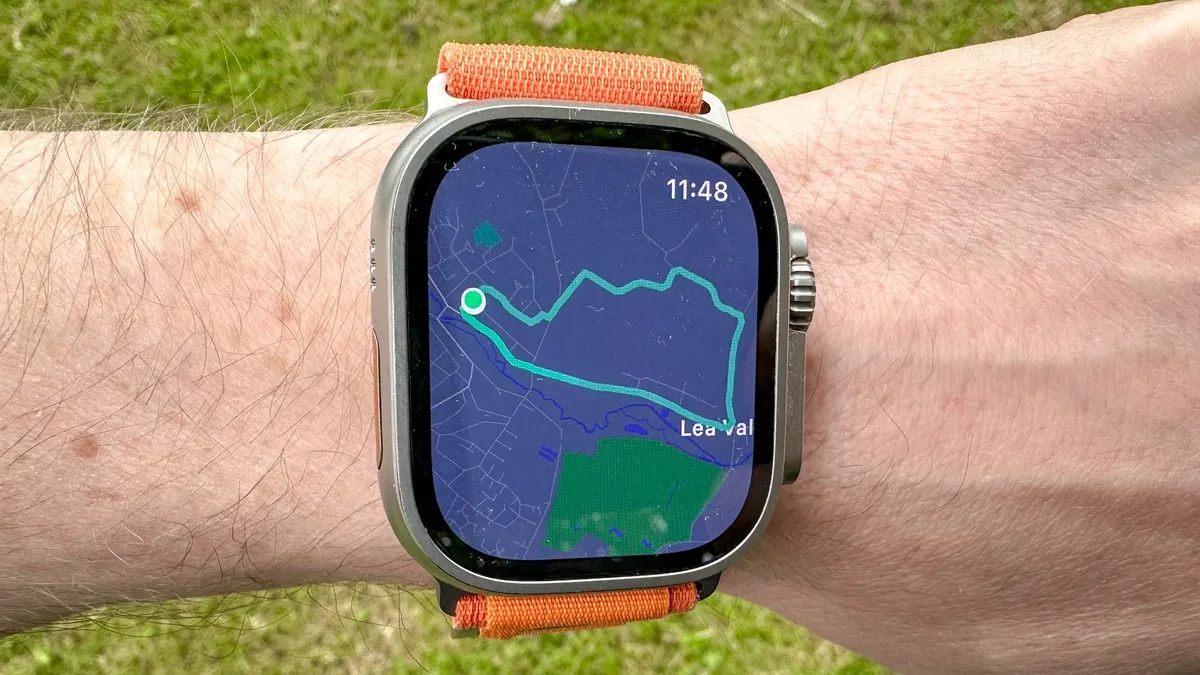
In my own case, I have a regular “short” route that mixes elevation and scenery that I try to get out and run whenever I can. The route is exactly three miles long, which means it’s perfect for slotting into a lunch hour when I need to get outside and away from the desk.
However, after several years of tackling this route, I’ve never really tracked my performance on it. Now that I’ve got Race Route locked in, I’m hoping to do just that. The goal is a simple one: get round this route in 20 minutes or less. That requires a 6:40 pace to achieve and I’m hoping that Race Route can spur me on to get there.
Since I started using the feature a few runs ago, my personal best sits at 23 minutes.
Never having bothered to record or mark any kind of record for this run, Race Route will handle that for me. It also gives me a bit of extra motivation to sneak the run into my weekly routine when otherwise I probably wouldn’t bother. After all, now I have someone to compete against.
If you prefer to strap on one of the best Garmin watches over an Apple Watch Ultra like me, then you’ll find something similar on that platform. It’s called Garmin Pace Pro and you can read all about how to use it here.
More from Tom's Guide
- This is my favorite Apple Watch fitness feature you're probably not using
- Hate running? This HIIT workout raises your heart rate with just 4 exercises
- I used this running app for 16 weeks — and I broke my personal record