
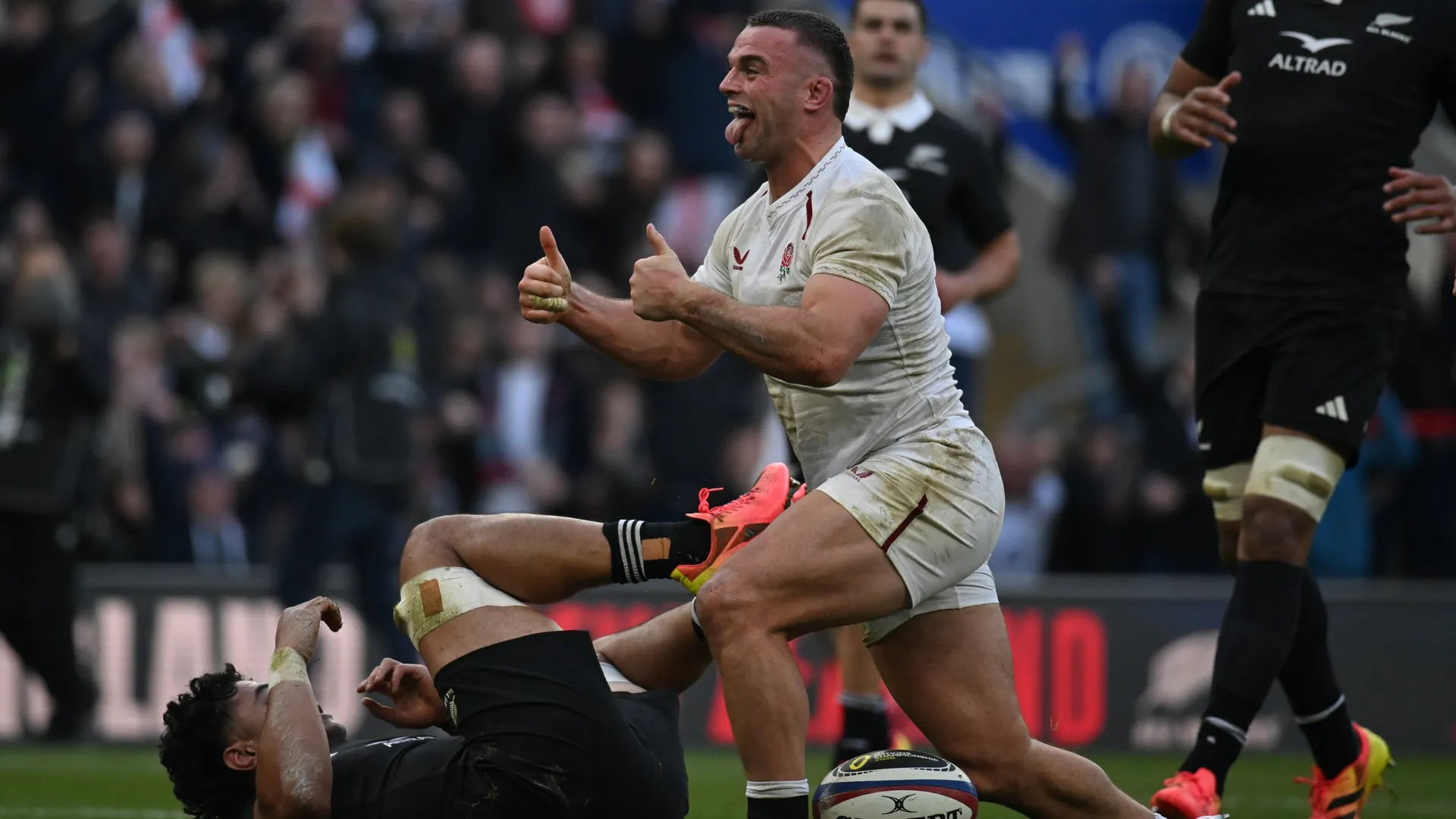
Watch England vs New Zealand for free live from Allianz Stadium, Twickenham, as the two sides meet for a rematch in the Nations Championship third-place playoff, just a week after England’s record-breaking victory over the All Blacks.
England vs New Zealand will kick-off at 11:40 a.m. ET / 8:40 a.m. PT / 4:40 p.m. GMT.
England have won both of their last two meetings with New Zealand. Last weekend, they won 37-12 in their biggest-ever victory against the visitors. Five different players scored tries as England dominated, while New Zealand struggled in attack, lost lineouts in the second half and gave away too many penalties.
Steve Borthwick has now made five changes to England's starting XV, including handing Greg Fisilau his first international start. The All Blacks have lost five of their last eight Tests, and another defeat would make this the first New Zealand team to lose six games in a season since 1949.
Looking for a free stream for the game? We've got you covered with four different free streams to watch England vs New Zealand at no cost from anywhere in the world with a VPN.
How to watch England vs New Zealand for free
In the U.S., U.K., Ireland and France you can watch England vs New Zealand for free. Find your stream below.
Country |
Free Live Stream |
|---|---|
🇺🇸 U.S. |
Stream free on Rugbypass TV (free account required) |
🇬🇧 U.K. |
Watch free on ITVX / ITV1 |
🇮🇪 Ireland |
Watch free on Virgin Media Play / Virgin Media One |
🇫🇷 France |
Stream free on TF1+ / TF1 |
OUTSIDE ANY OF THESE COUNTRIES? USE NORDVPN (78% OFF) TO UNBLOCK YOUR STREAM
How to watch England vs New Zealand from anywhere
Away from home at the moment and blocked from watching the Nations Championship for free? You can still watch the England vs New Zealand free live stream thanks to the wonders of a VPN (Virtual Private Network).
NordVPN is our top pick of the options – try it for 30 days with our deal below:
Using a VPN is incredibly simple.
1. Install the VPN of your choice. As we've said, NordVPN is our favorite.
2. Choose the location you wish to connect to in the VPN app. For instance, if you're in South Africa and want to view your usual U.K. service, you'd select United Kingdom from the server list.
3. Sit back and enjoy the action. Head to ITVX or another service listed on this page and watch the game.
Which devices can I watch England vs New Zealand with?
Click to see more ⬇️
You can use ITVX on all of the following devices and platforms:
Amazon Fire (Tablets, Cube, Stick, TVs)
Android TV (please note: some models aren’t supported)
Android (Mobile & Tablet) - Android 7.0 and above
Apple TV (tvOS 14 or later)
Google TV (Chromecast with Google TV and NVIDIA Shield)
Freely
Freesat (please note: some models aren’t supported)
Freeview Play (TVs and set-top boxes) (please note: some models aren’t supported)
iOS (iPhone & iPad) - iOS 14 and above
LG Smart TVs (2016-2024)
NOW Smart Sticks and Boxes (minimum firmware v11.5.0)
PlayStation (PS4 and PS5)
Roku (Stick & Roku-OS powered TVs, minimum firmware v11.5.0)
Samsung Smart TVs (2017 and above - 2016 models only offer on demand TV)
Sky Q, Sky Glass and Sky Stream puck
Virgin Media (360, Stream, TiVo)
YouView (BT, Humax, Sony, TalkTalk)
Xbox (One, Series X, Series S)
You can use RugbyPass TV on all of the following devices and platforms:
Android (Mobile & Tablet) – Android 5.0 and above
iPhone & iPad – iOS 11.2 and above
Android TV – Android TV 5.0 and above
Apple TV – 3rd and 4th generation (tvOS 11 and above)
Chromecast
AirPlay
You can use TF1+ in France on all of the following devices and platforms:
Amazon Fire TV / Fire TV Stick
Android TV
Apple TV
Bouygues Telecom TV boxes
Chromecast
Free (Freebox)
Google TV
Hisense Smart TVs
LG Smart TVs
Orange (Livebox / La Boîte Sosh)
Philips Smart TVs
Samsung Smart TVs
SFR / RED TV boxes
Smartphones and tablets (iOS and Android)
Sony Smart TVs
Web browsers (Windows, macOS)
You can use Virgin Media Play on all of the following devices and platforms:
Amazon Fire (Tablets, Cube, Stick, and Fire TVs)}
Android TV (please note: some models may not be supported)
Android (Mobile & Tablet – Android 7.0 and above)
Apple TV (tvOS 14 or later)
Google TV (including Chromecast with Google TV and NVIDIA Shield)
Freely
Freesat (please note: some models may not be supported)
Freeview Play (TVs and set-top boxes – some models may not be supported)
iOS (iPhone & iPad – iOS 14 and above)
LG Smart TVs (2016–2024 models)
NOW Smart Sticks and Boxes (minimum firmware version 11.5.0)
PlayStation (PS4 and PS5)
Roku (Stick & Roku OS-powered TVs – minimum firmware version 11.5.0)
Samsung Smart TVs (2017 and newer models)
Sky (Sky Q, Sky Glass, and Sky Stream puck)
Virgin Media (360, Stream, and TiVo)
YouView (BT, Humax, Sony, and TalkTalk boxes)
Xbox (One, Series X, and Series S)
More from Tom's Guide
We test and review VPN services in the context of legal recreational uses. For example: 1. Accessing a service from another country (subject to the terms and conditions of that service). 2. Protecting your online security and strengthening your online privacy when abroad. We do not support or condone the illegal or malicious use of VPN services. Consuming pirated content that is paid-for is neither endorsed nor approved by Future Publishing.