Tom's Guide Verdict
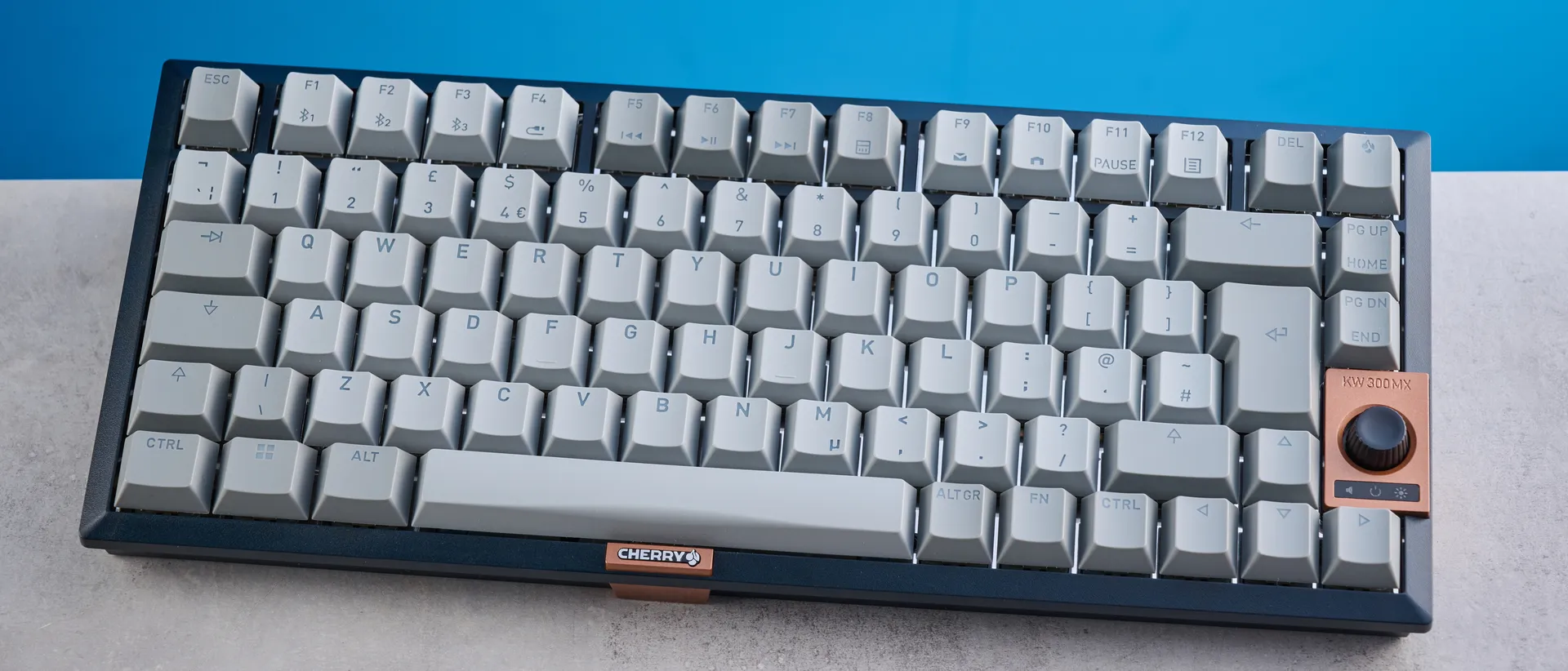
The Cherry KW 300 MX is a good mechanical keyboard for fans of a thocky sound profile. It’s compact and lightweight, making it great for travel or for those short on desk space. With great build quality and cross-platform compatibility to boot, it’s (almost) the complete package. Unfortunately, though, its Windows-only software and dim white backlighting leave a lot to be desired. You can get better value for your money elsewhere.
Pros
- +
Compact design
- +
Great build quality
- +
Lovely to type on
- +
Delightful sound profile
- +
macOS keycaps included…
Cons
- -
…but no macOS software
- -
White (and dim) backlighting only
- -
A little expensive
Why you can trust Tom's Guide Our writers and editors spend hours analyzing and reviewing products, services, and apps to help find what's best for you. Find out more about how we test, analyze, and rate.
The best mechanical keyboards can elevate your typing experience and can even make you a better typist. The Cherry KW 300 MX tries to do just that — and succeeds, for the most part.
This is a compact 75% keyboard that you can travel with, or plop on your crowded desk without sacrificing too much space. It offers a lovely typing experience and a delightful thocky sound profile. It’s got nearly everything you need.
But the KW 300 MX isn’t perfect. Though the keyboard comes with macOS-specific keycaps, the companion software is confusingly Windows-only. The white-only backlighting is also quite dim, and frankly, you can get more bang for your buck elsewhere.

Cherry KW 300 MX review: Specs
Price | |
Switches | Cherry MX2A Brown (tactile), Red (linear) |
Keycaps | Double-shot PBT |
Construction | ABS plastic |
Mount | Gasket |
Layout | 75%, 82 keys |
Operating system | macOS, Windows |
Backlighting | White |
Polling rate | 1,000Hz (wired) |
Paired devices max | 3 |
Connectivity | Bluetooth 5.2, wired |
Battery | Rechargeable Lithium-ion |
Measurements | 12.59 x 5.31 x 1.53 inches |
Weight | 1.64lbs |
Colors | Black |
Cherry KW 300 MX review: Cheat sheet
- What is it? A mechanical keyboard with a 75% layout and hot-swappable switches
- Who is it for? Hardcore typists and casual gamers
- How much does it cost? The Cherry KW 300 MX is available for $149 / £139
- What do we like? The lovely typing experience and sound profile, great build, compact design, and inclusion of macOS keycaps
- What don’t we like? The Windows-only software, dim white backlighting, and price tag
Cherry KW 300 MX review: The ups
From its compact design and sturdy build, to its lovely typing experience and sound profile, the Cherry KW 300 MX is a fantastic mechanical keyboard.
Compact design
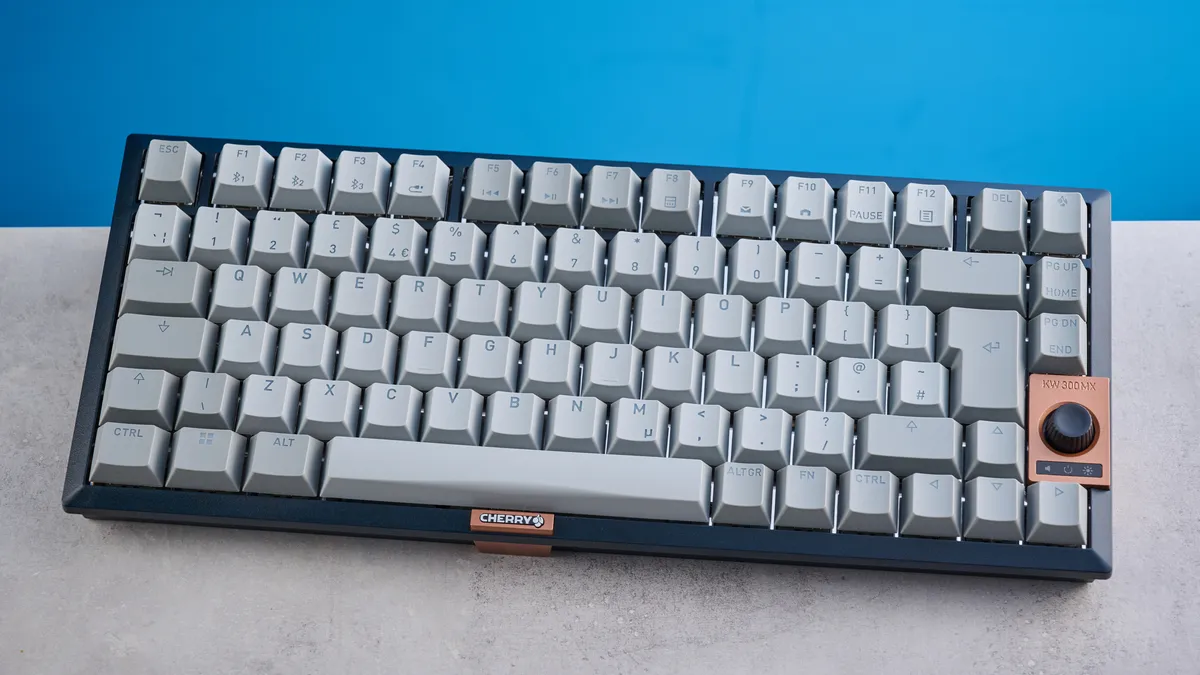
If you’re looking for a mechanical keyboard that you can travel with and one that doesn’t take up too much space on your desk, the Cherry KW 300 MX is perfect. Sporting a 75% layout which foregoes the numberpad to save on space, the KW 300 MX measures 12.59 x 5.31 x 1.53 inches. It isn’t very heavy either, weighing just 1.64lbs. I’ve had no problem carrying it in my backpack, to and from work, even with plenty of other gadgets already in there.
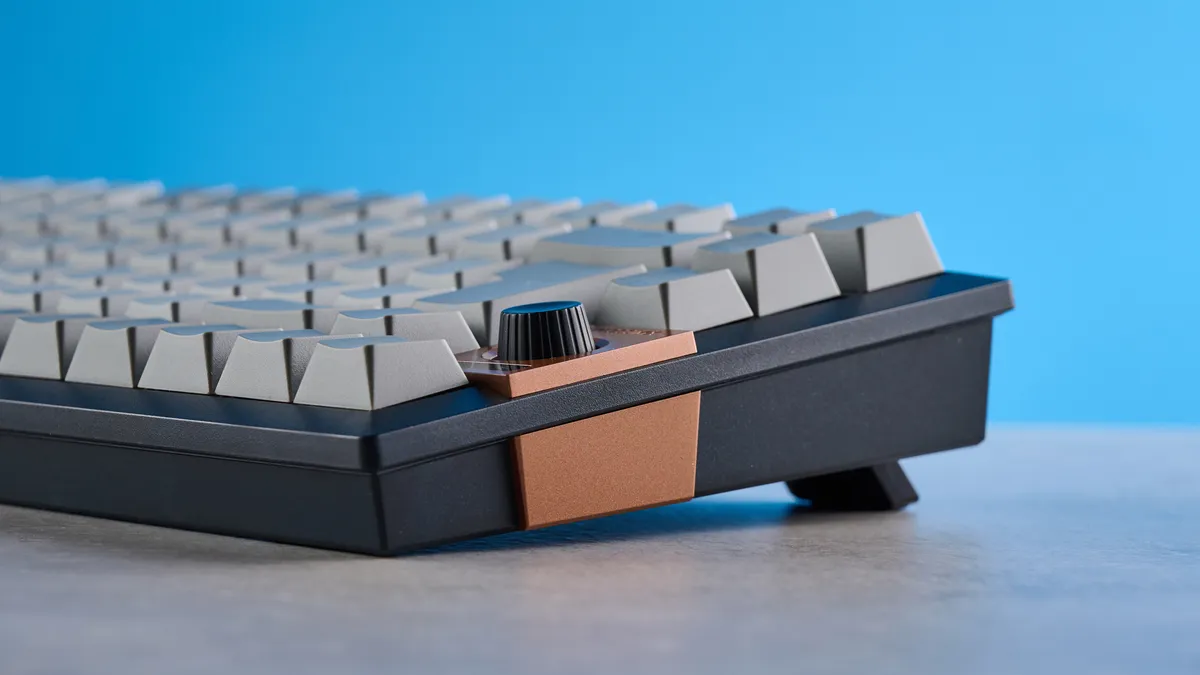
Similar to some other mechanical keyboards I’ve tested, the KW 300 MX features a knob between its arrow and page navigation keys. You can use this knob to adjust the volume, backlighting’s brightness, and turn the keyboard on and off. I’d say the KW 300 MX’s knob is far more useful than the pricier Corsair Vanguard Air 99 Wireless’ ($259) which requires you to use confusing key combos to change settings on the fly.
Great build quality
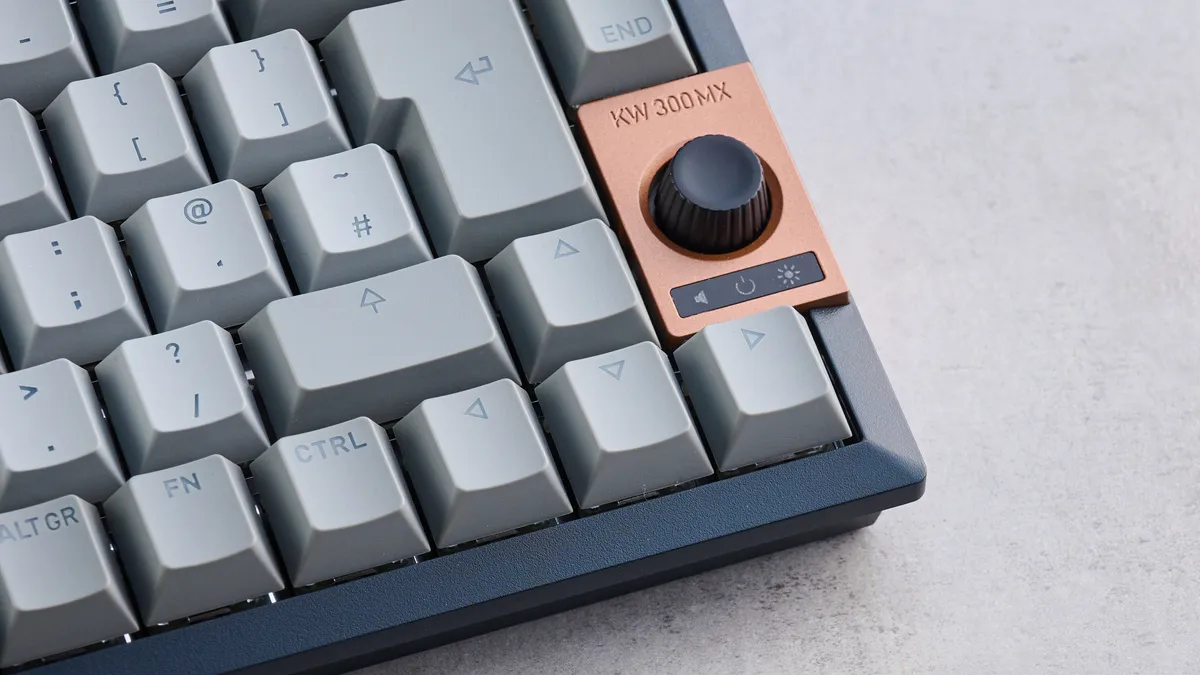
Just because the Cherry KW 300 MX is light doesn’t mean it’s flimsy — quite the opposite, in fact. The keyboard is built very well, and you can tell that the ABS plastic it uses in its construction isn’t cheap. Tapping the keyboard’s body with my fingernails didn’t reveal any hollow sounding parts, and much like the Keychron V1 8K ($74), there isn’t a lot of flex in the body either.
Adding to the KW 300 MX’s great build quality is its use of double-shot PBT keycaps which are more resistant to oil as well as wear and tear than their ABS counterparts. The keyboard also utilizes a gasket-mount design which helps with structural integrity. And that knob I mentioned earlier? It’s well-built too, and has just the right amount of resistance to keep it from feeling fragile.
Lovely to type on

My bread and butter relies on me typing nearly 10,000 words a week, so I need a capable and competent keyboard that makes it effortless to do so. The Cherry KW 300 MX does just that.
This is a stunning keyboard to type on, and I even wrote this entire review on it. The KW 300 MX can be configured with either Cherry MX2A Brown (tactile) or Red (linear) switches. If you don’t like those, the keyboard is hot-swappable so you can change the switches without de- and re-soldering them to the PCB.
I tested the Red linears which require 45g of force to activate, and they have a pre-travel distance of 2mm (total of 4mm) so you don’t need to press them all the way down for input to register. This means that it’s not fatiguing to type on the keyboard, and after a full day’s worth of typing, I can confirm that my fingers were absolutely fine at the end of the day. I much prefer these light switches over, say, the 57g Bananas in the Keychron V1 8K — though they’re not as light as the 35g Sea Salts in the Epomaker RT100 ($115).
Keyboard | Type test speed (WPM) | Type test accuracy |
|---|---|---|
Cherry KW 300 MX | 94 | 90.4% |
99 | 95.03% | |
102 | 94% | |
99 | 91% | |
105 | 96.5% | |
97 | 93.04% | |
Nikita’s rolling averages (all keyboards) | 92.58 | 91.2% |
I think 45g of force is the sweet spot, and the KW 300 MX hasn’t given me much to complain about in terms of the typing experience. I took a typing test at 10fastfingers.com to see how the keyboard fared, especially compared to other mechanical keyboards I’d tested just before the KW 300 MX. As you can see from the table above, my type test speed is above average, and my accuracy is good too. I’m pleased with these results.
Delightful sound profile
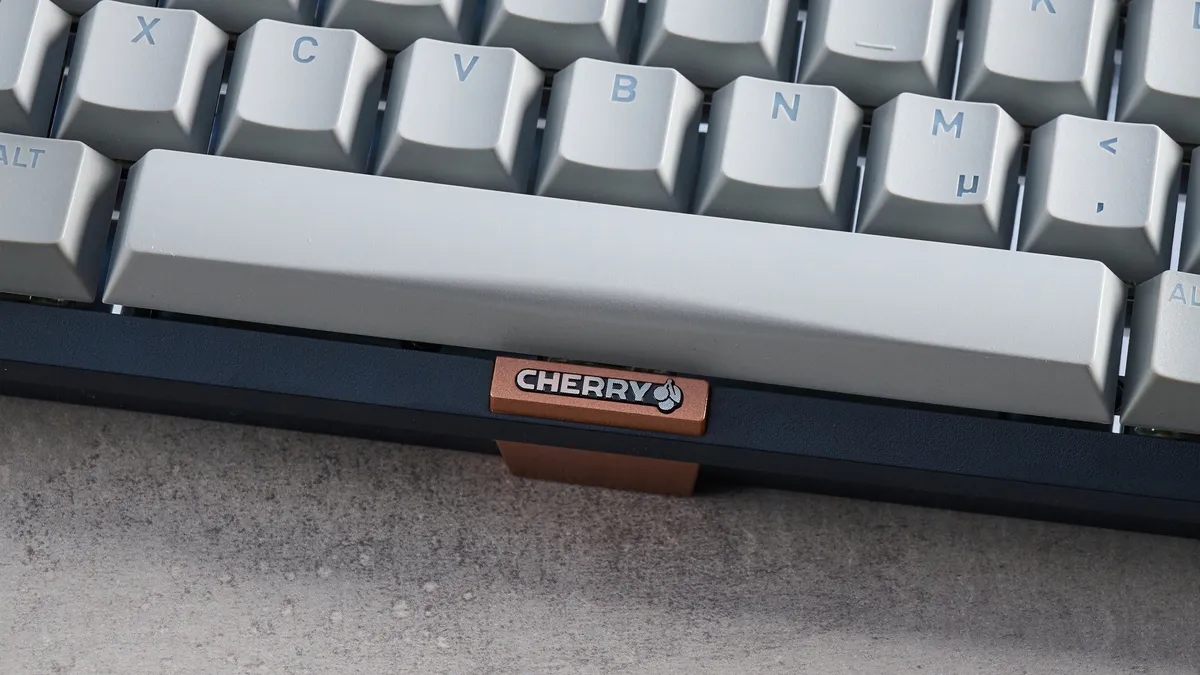
One of the biggest pre-purchase considerations for keyboard enthusiasts is the sound profile. Does the keyboard sound creamy? Thocky? Clicky? Poppy? Quiet? The possibilities are endless. If you’re after a thocky deck, the Cherry KW 300 MX will be right up your street. The keyboard utilizes a gasket-mount design which reduces vibrations from key presses, and it packs several layers of sound dampening foam. All of this works in conjunction with the keyboard’s double-shot PBT keycaps to deliver a lovely thocky sound.
Cherry claims that the KW 300 MX’s sound-proofed housing offers “quiet operation” — I wouldn’t necessarily say it’s “quiet.” The KW 300 MX’s thockiness isn’t too loud, so it won’t disturb your coworkers, but it’s just loud enough for you to appreciate it.
macOS keycaps included
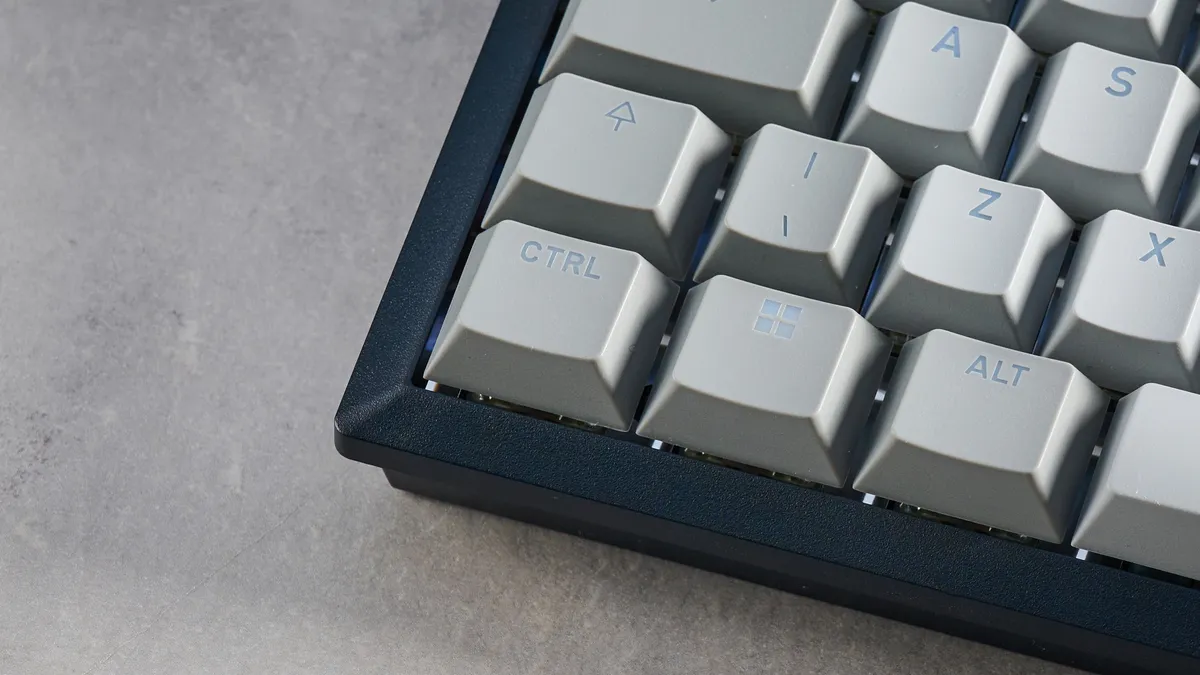
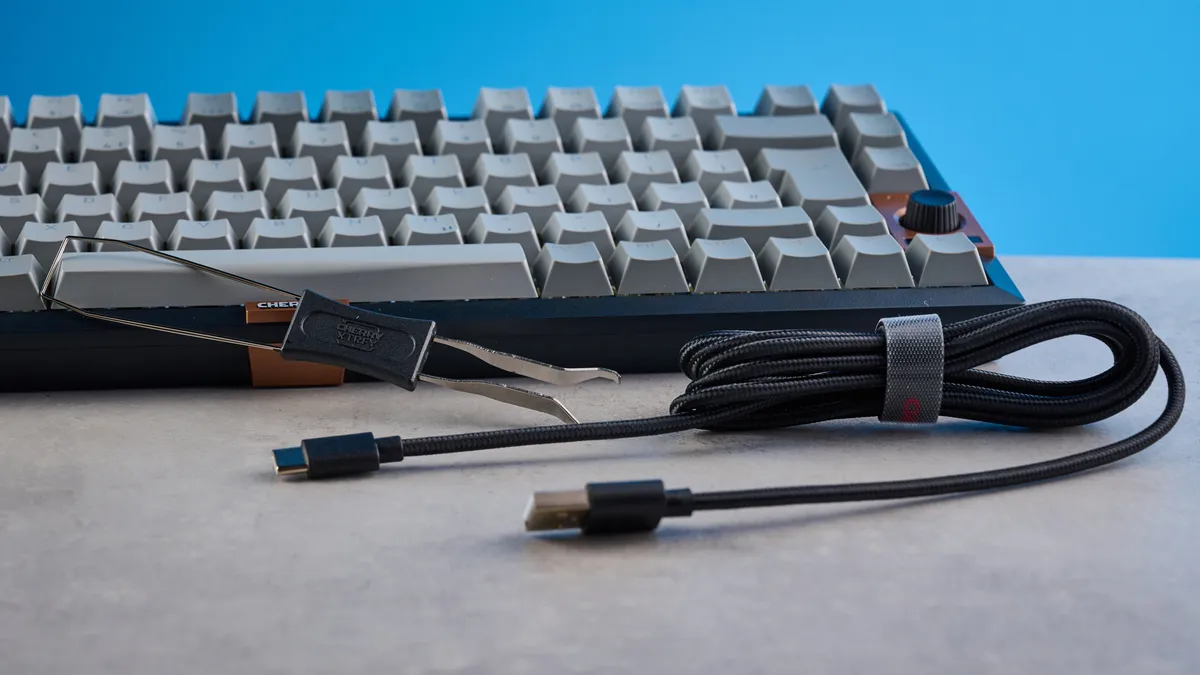
If, like me, you work across different operating systems, you may want a keyboard that boasts cross-platform compatibility. The Cherry KW 300 MX is one such keyboard. It comes fitted with Windows-specific keycaps but Cherry includes macOS ones in the box, so you can swap out the Windows key for the CMD key.
You can swap between operating system layouts easily too, by simply holding Fn + M for macOS and Fn + W for Windows. It takes three seconds for the KW 300 MX to switch to either layout, so it’s extremely easy and quick to do.
Cherry KW 300 MX review: The downs
The Cherry KW 300 MX has some flaws, such as the Windows-only software, dim white backlighting, and premium price.
Windows-only software
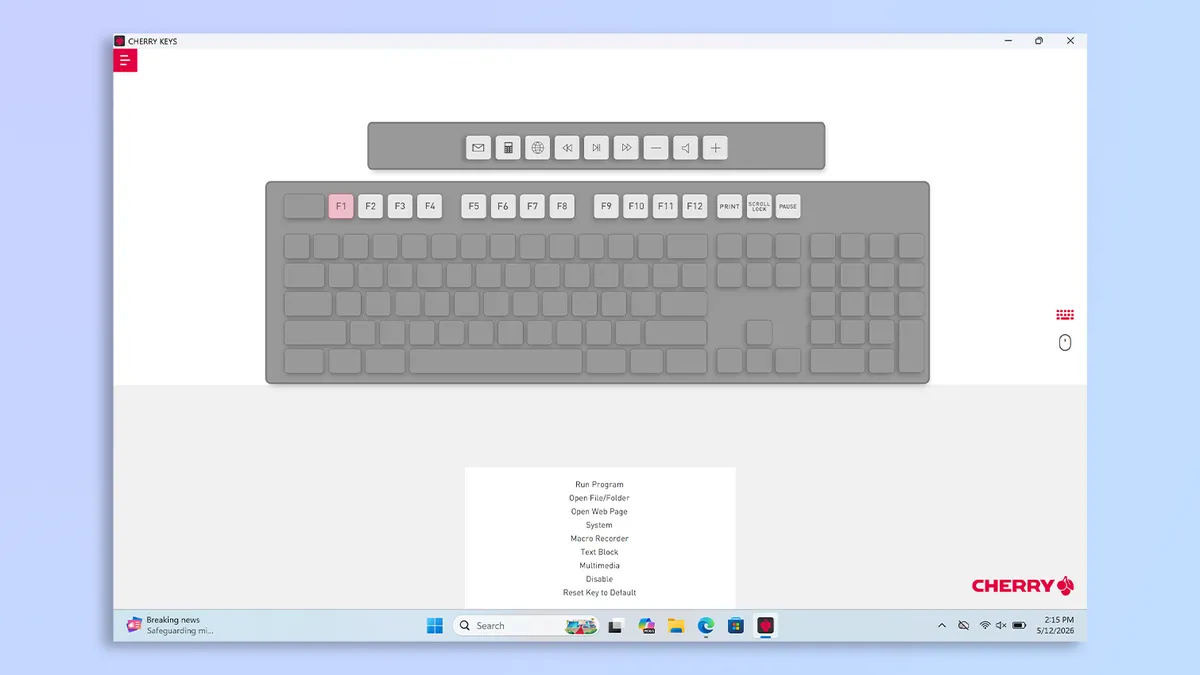
The Cherry KW 300 MX is a multi-platform keyboard, so it’s compatible with Windows and macOS machines as well as Android smartphones. Like I mentioned earlier, Cherry happily included macOS keycaps in the box. But what’s disappointing is that there’s no macOS-compatible companion software. Cherry Keys is available on Windows only, and it feels like a massive oversight from the brand.
Cherry Keys itself is a user-friendly app. It sports a clean interface and everything is signposted well. You can use it to remap keys, record macros, and update/flash the KW 300 MX’s firmware.
It’s just a shame that macOS users can’t do this — and Cherry could have easily solved this issue with either cross-platform software or a web-based app. If you want a macOS-friendly keyboard that can be customized without the need for a Windows machine, check out the Keychron V1 8K or the Epomaker TH80 Pro ($99).
White backlighting only

Fans of RGB lighting, you may want to consider other options. The Cherry KW 300 MX features south-facing backlighting, yes, and it’s visible through the see-through keycaps, but it’s white only.
There’s no per-key RGB which might be a dealbreaker for some. Also, it isn’t very bright, even at its brightest setting, which is a little disappointing. I didn’t even realize it was turned up to full brightness in a well-lit room — an issue I’ve never had with RGB keyboards before.
If you love RGB lighting, boy have I got many, many recommendations for you. The Keychron V1 8K, the Epomaker TH80 Pro, and the NuPhy Air75 V3 ($139) are all excellent alternatives, and they cost less than the KW 300 MX — which brings me to my next point.
A little expensive
Mechanical keyboards have come leaps and bounds in recent years, and today, you can get a powerful mech deck for not a lot of money. The Cherry KW 300 MX isn’t one of them, sadly. Look, this is a good keyboard, and I’ve thoroughly enjoyed testing it, but the fact that it costs nearly $150 is a little off-putting. This keyboard retails for $149 / £139 at Amazon, and as I wrote about recently, you don’t need to spend that much to get a decent keyboard.
Not convinced by the KW 300 MX’s price? Don’t worry: there are plenty of cheaper alternatives out there. If you want a 75% layout keyboard with 1,000Hz polling and hot-swappable switches, the Keychron V1 8K ($74) is a fantastic option, and even features 8,000Hz polling (though it’s wired-only). Prefer a wireless deck? The NuPhy Air75 V3 ($139), the GravaStar Mercury K1 ($129), and the Lemokey P1 Pro ($129) offer outstanding value for money. Sub-$100 options are available too, like the 5-star NuPhy Node75 ($99).
Cherry KW 300 MX review: Verdict
If you’re looking for a keyboard that’s simply wonderful to type on, you’ll love the Cherry KW 300 MX. Its MX2A Red linear switches that I tested are extremely responsive, and they’re a joy to type on. The keyboard features a delightful, thocky sound profile too, and its compact form factor makes it ideal for those short on space.
While that’s great, the KW 300 MX doesn’t offer the best value for money. It comes with macOS keycaps but no macOS-compatible software. The white backlighting may be disappointing to RGB fans, and it’s quite dim too. Given that many excellent keyboards cost less these days, you’d be better off getting a Keychron, NuPhy or Epomaker. The KW 300 MX is good, yes, but it could have been great.