







Google doesn't actually make the best Google TVs. Instead, the company sticks to its strengths with software and allows other brands to install the Google TV smart television platform on their TVs, giving you more choice about the specific set you buy.
If it runs Google TV, you'll have the same experience as any any other model running Google TV, so the thing to focus on is the set's hardware and performance. That's why I rate the Hisense U8QG as the best Google TV you can buy right now.
It supports ATSC 3.0 for watching 4K live broadcast TV, has three HDMI 2.1 ports (ideal for consoles) and has a 165Hz refresh rate for the display to keep up with fast-paced action. Plus, it's impressively bright, making it a great choice for sun-lit rooms.
Or if you need to keep costs down, there's the Hisense U75QG, the best budget Google TV worth your money. It has a 165Hz refresh rate (ideal for gaming or sports), impressive brightness and fantastic contrast without breaking the bank.
The best Google TVs you can buy right now
Why you can trust Tom's Guide Our writers and editors spend hours analyzing and reviewing products, services, and apps to help find what's best for you. Find out more about how we test, analyze, and rate.
Best Google TV overall


The Hisense U8QG is one of the brightest Google TVs we've ever tested. Brightness isn't everything, but it is important. If the set isn't bright enough, you'll struggle to make out what's going on when the room has artificial light or lots of sun. Fortunately, that's not going to be a problem with the U8QG (or the even-brighter TCL QM9K).
We put it through a varied set of films and TV shows, from "Tenet" and "Ghost In The Shell," through to "Andor," "Reacher," and "Lazarus." It handled them all exceptionally well, and every scene popped, whether it was the most vivid and colorful moments or those set in shadowy darkness, where you could easily pick out details in the blacks.
The color accuracy and volume were remarkable, with rolling hills and crashing waves looking especially impressive. The futuristic scenes in "Lazarus" were vibrant, grand and immersive. And the visuals were only part of the reason, as the set's internal speakers were actually quite good, a rarity for any TV.
Normally, we'd recommend that you buy one of the best soundbars to bolster the audio, but the 72W, 4.1.2-channel setup on the U8QG avoided that trap with detailed audio, helped along by the set's AI Sound feature which boosts dialogue so you can hear what the characters are saying.
It has an anti-glare panel, which we didn't find was particularly effective. While it's bright enough for sunny rooms, I wouldn't position it in direct sunlight. And you only get three HDMI ports, instead of the more typical four, but these are minor points and definitely not deal-breakers on such an incredible value Google TV.
- Read our full Hisense U8QG review
Best budget Google TV


There are cheaper Google TVs out there, but the Hisense U75QG is the best budget Google TV for its mix of performance, ports and price. (There's more to it than that, but I liked the alliteration). It works extremely hard for your money, with impressive colors, contrast and brightness while hitting the sub-$1,000 mark (depending on size).
Normally, I talk about how this is one of the brightest TVs we've tested, and it is, but we're fortunate that many of the best Google TVs are incredibly bright. The TCL QM9K and Hisense U8QG do outshine it, but it's still among the top sets, so it won't have a problem in a sunny or well-lit room, just keep it out of direct sun.
While numbers are an important part of a TV's performance, so is the experience watching it. And the U75QG is a lot of fun, especially when it comes to vivid colors, like the cartoonish chaos in “The Super Mario Bros Movie." Equally, the dystopian but surprisingly colorful future depicted in "Blade Runner 2049" looked stunning too.
This combination of performance and hardware is also why I ranked the U75QG as one of the best gaming TVs too. The four HDMI 2.1 ports are great for console gaming and the 165Hz refresh rate (far above the 120Hz needed for console gaming) means that you can use this for the most demanding PC games too.
Plus, we measured its input lag as a snippy 9.8ms (compared to 9.7ms on the U8QG and a relatively sluggish 13ms on the TCL QM9K). We're talking about fractions of a second here, but that can make a difference if you're playing competitive online games, and the U75QG is up there with some of the most responsive sets.
- Read our full Hisense U75QG review
Best Google TV for bright rooms
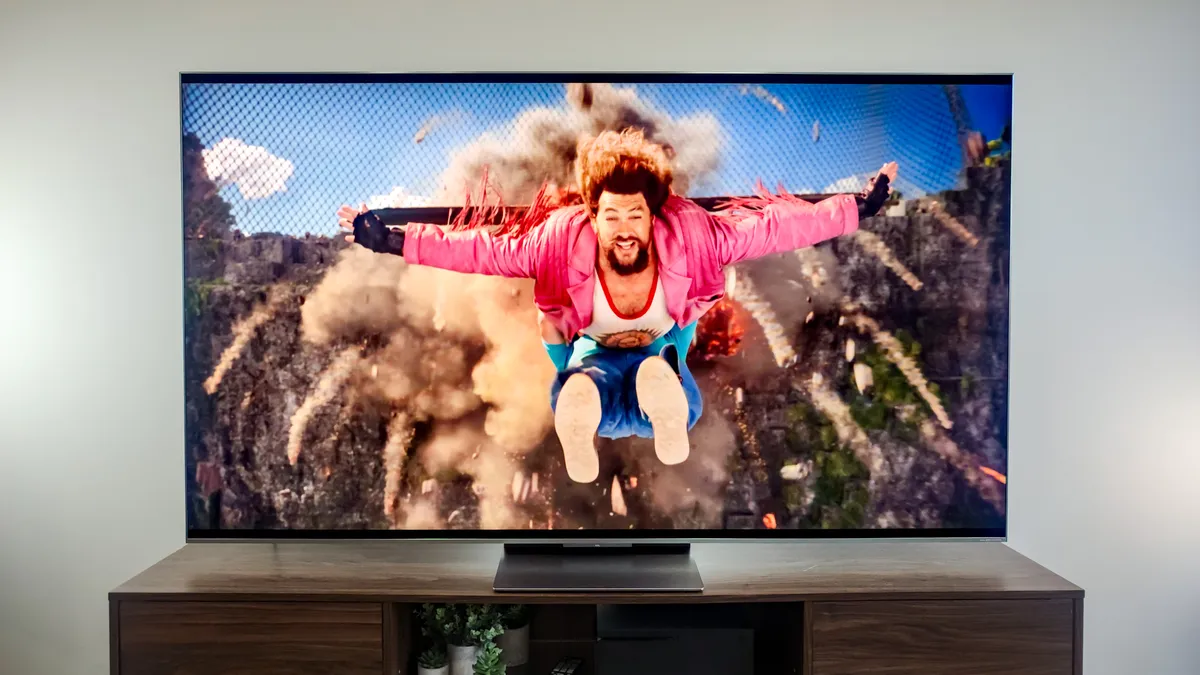
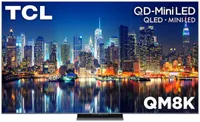
I know I'm getting repetitive, but the TCL QM9K is one of the brightest TVs we've tested. Of course, I said that for the Hisense U8QG and Hisense U75QG. But, incredibly, this TV is almost twice as bright as both of them. It's a dazzling display that makes it best Google TV for bright rooms or sunny spaces.
The only TV we've tested that actually scored higher was the $8,000 TCL X11L, but I'm not going to recommend that you spend anywhere near that much when the QM9K is somehow less than $1,500. (Yes, that does mean you could buy five of these TVs or one X11L). As I've mentioned before, though, brightness is only one part of the picture.
The QM9K has a few technical features that make an actual real-world impact. It has Wide High-vertical alignment (WHVA) panels that we found improved off-axis viewing (basically when you're not directly in front of the TV) and great contrast levels. The vibrancy is helped along by 6,000 local dimming zones.
The TV can adjust the brightness in each zone to improve contrast levels, so you get more vibrant colors and more shades of black, and we found you can still pick out the detail in the shadows too. So when we watched "Spider-Man: Across the Spider-Verse," it looked phenomenal, and even better than on many of the best OLED TVs.
The only (minor) complaint we have is that the TV has a 144Hz refresh rate and does sometimes suffer some motion blurring. It's not distracting, but the two Hisense sets I've included here both have 165Hz refresh rate, making them better choices for sport and PC gaming. But for most other uses, the TCL QM9K is an exceptional Google TV.
- Read our full TCL QM9K review
Also tested
How we test the best Google TVs
We test the best Google TVs in the same way we test all TVs — we use them. But before you think our job is just to sit around all day and watch movies, I've oversimplified the process a bit, because there is more to our testing process.
Once we've chosen a TV for review, it gets delivered to our testing lab, where we put the set through a bunch of objective, consistent tests to get measurable performance data. This is partly to check the manufacturer's claims but has other benefits.
Having actual measurements for aspects like brightness, color accuracy and input lag means we can check to see whether the performance has actually changed (for good or bad) between versions of the same range for more informed upgrade advice.
It also makes it easier for us to compare sets in different ranges or from other manufacturers and build lists like this roundup of the best Google TVs. The data informs what use case each model is good for too.
Then we get to the bit you were imagining at the start: we get to watch TV. Our reviewers chose media they know well, including films, TV shows and games so they can cast a critical eye over the TV's performance, instead of the content itself.
This is where we get more descriptive about whether the colors pop or the image feels like it has a lot of depth. The numbers are great, but they take one metric in isolation. The experience of the TV is how all those individual aspects work together.
How to choose the best Google TV
I know you've landed on a guide to the best Google TVs, but before you venture too far in your research, it's worth thinking about why you want a Google TV specifically.
Many people like the personalization Google can offer, since your whole life lives in your Google account, and some are more interested in the AI-based tools the company has been adding to improve recommendations.
I'm not sold on those, as I find human curation is better at helping me find new experiences, but it does save you spending hours scrolling Netflix in search of something to put on in the evening, after dinner or once the kids are in bed.
One of the most exciting things about Google TV televisions is that they're not locked to a certain manufacturer. As much as we rate LG and Samsung TVs, if you like that brand's software, you have to buy its TVs too. The same is not true of Google TV.
Google TV is a software platform that runs on smart televisions. It used to be called Android TV before it got a makeover in 2020. That's why you sometimes still see TVs saying they run Android TV, because that still exists as a separate platform.
And you'll see from our roundup that you have more choice of hardware with Google TV, as brands like Hisense, TCL and Sony all make sets with Google TV built in. Each company has a good range of TVs too, from budget to cutting-edge.
So whether you want to stick to a specific brand, keep costs down, or get a particular style of display technology, you have options. The aim is to find a TV that you like which runs Google TV, but don't only look for the software; that's the same on each set.
FAQs
What is Google TV?
That is a good question and one with a confusing answer, because there a multiple products called Google TV; there's the Google TV smart television software, the Google TV digital media store and the Google TV Streamer.
Okay, so the Streamer uses a different name, but it's a set-top box which runs Google TV software and can plug into the HDMI port of any television. So you often hear people informally talk about this as 'Google TV' as well.
The Google TV platform is like a prettier, easier to use version of Android TV with better integration with Google's services and, of course, Gemini, its AI tool. To make things more confusing, one of the apps on Google TV is also called Google TV.
Many years ago, the app was called Google Play Movies & TV, where you could rent or buy digital films and TV shows. The Google TV we're talking about in the guide is the smart TV platform, and not the media app on it with the same name.
Although Google has a bad habit of confusing product names, Apple actually has the same problem with Apple TV (the set-top box), Apple TV (the digital media store) and Apple TV (the streaming service, formerly known as Apple TV+).
Apparently tech companies are unable to find unique names for products, despite the vast and supposedly powerful AI tools at their disposal. And although I'm being critical of this strategy, the main reason is because it's incredibly confusing for everyone.

