
For anyone who was stranded at an airport during the most recent Federal Aviation Administration (FAA) ground stop, I feel your pain.
I wouldn’t wish a flight cancellation on my worst enemy. The stress and uncertainty that comes with that occurrence is unbearable—trying your damnedest to book another flight, standing in a long line of other travelers who are looking to do the same thing and thinking about how this cancellation will impact your other plans comes with the territory once this unfortunate circumstance comes to pass.
I’m always in careful preparation mode, especially when it’s time to hop on a plane. My days of being an optimist aren’t fully behind me, but I consider myself more of a realist who always keeps the possibility of something bad happening in the back of my mind.
With all that in mind, I approached ChatGPT intending to find the best prompts for anyone who wants to build a backup travel plan for their future flights. I’ll be sure to keep these in my reusable prompt pocket and I hope you all do the same.
Prompting ChatGPT to prep you for a worst-case scenario

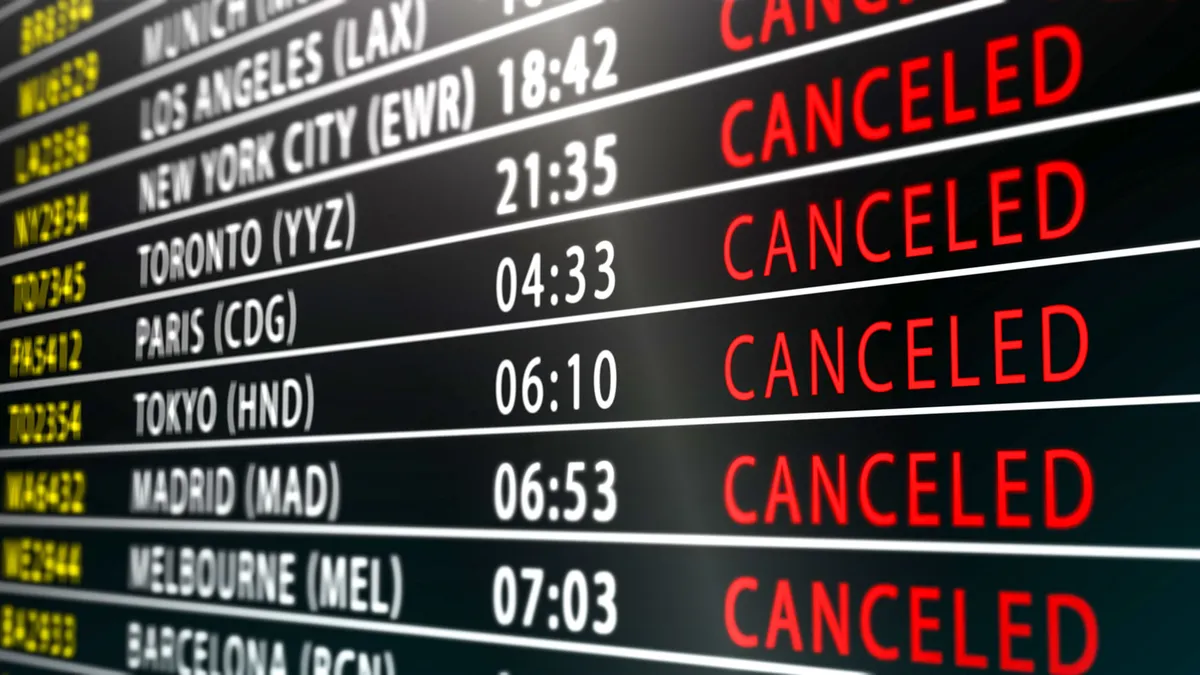
ChatGPT’s list of prompts is geared towards people who want to enact a plan that they can act on quickly if their flight ends up getting the dreaded red “CANCELLED” notification on the airport’s information display system. It’s definitely worth having these details on hand and attaching them to any of these prompts to make ChatGPT’s responses as detailed and tailored to your needs & wants as possible:
- Your travel route
- Travel date
- Airline
- Scheduled arrival time
- Latest acceptable arrival time
- Number of travelers
- Extra travel budget
- Amoung og baggage
- Accessibility or pet requirements for travel
It’s best if you leave out your passport details and your flight booking reference number when working with ChatGPT to put your flight cancellation backup plan together (there’s really no need to give it such crucial details about yourself).
Also, it’s worth bookmarking the Airline Cancellation and Delay Dashboard to get a closer look at all the airlines’ commitments for controllable cancellations (these are defined as the commitments airlines can make to their customers when they cause a cancellation). With all those qualifications in mind, these are the seven ChatGPT prompts that should help you map out your flight cancellation backup plan with relative ease:
- Build my Plan B and Plan C (Start with the full picture so your backup options match your priorities): I’m flying from [origin] to [destination] on [date] with [airline]. I need to arrive by [deadline], and my maximum extra budget is [amount] for [number] travelers. My constraints are [details]. Build a backup travel plan in case my flight is canceled. Give me Plan B for the earliest practical arrival and Plan C for the lowest reasonable extra cost. Include estimated door-to-door travel time, extra expenses, and what would trigger switching plans. First, ask me for any essential missing information.
- Find replacement flights beyond my original route (A useful search should consider nearby airports and the cost of reaching them): Using my trip details, search for replacement flights from my original airport and airports within [distance or travel time]. Check alternative arrival airports too. Compare nonstop and connecting routes, including other airlines. Factor in airport transfers, baggage fees, and realistic connection times. Use current sources, link to booking options, and timestamp your findings. Clearly distinguish confirmed availability from possible routes. If you can’t access live inventory, give me the exact searches to run instead of inventing flights or fares.
- Tell me whether a train, bus, or rental car makes more sense (Sometimes the best backup never leaves the ground): Compare taking a train, bus, one-way rental car, or a combination of these for my journey if my flight is canceled. Rank realistic options by door-to-door arrival time, total cost, and difficulty. Include station or rental-counter hours, transfers, one-way fees, luggage limits, and rest stops where relevant. Check whether the disruption affecting flights could also affect roads or rail. Flag anything that requires a live availability check.
- Help me ask the airline for the right solution (This prepares you for a rushed conversation with customer service): Prepare a short airline customer-service script for a canceled flight on my itinerary. My preferred outcome is [earliest arrival/no extra spending/another priority]. Include specific questions about rebooking, partner-airline options, nearby airports, checked bags, and what happens to my remaining flights. Then identify any applicable refund rights and airline commitments using current official sources. Distinguish legal requirements from airline policies, and account for the cancellation reason. Don’t assume I qualify for a hotel, meals, or reimbursement.
- Build an overnight survival plan (A next-day departure needs its own practical backup): If I’m stranded overnight at [airport], create a practical plan for [travelers and needs] within [budget]. Find hotel options with suitable check-in times and verify airport-shuttle operating hours. Compare the full cost, including transportation and fees. Include food, charging, essential medication access, and what to do if my checked bag is unavailable. Prioritize flexible bookings and explain what I should confirm before paying. Use current sources and label unverified details.
- Protect the rest of my trip and check potential coverage (A cancellation can affect much more than your flight): Help me limit the knock-on costs if I arrive [number] hours or days late. My other bookings are [hotel, car rental, cruise, tour or event, with cancellation deadlines]. Prioritize whom I should contact and when, and draft short messages requesting changes or a late arrival. Using the travel-insurance policy or card-benefit terms I provide, identify potentially relevant coverage, exclusions, documentation, and any approval needed before spending. Don’t assume an expense will be reimbursed.
- Turn everything into a cancellation-day checklist (Finish with something you can save on your phone): Turn our backup options into a concise checklist I can save offline. Divide it into “Before leaving home,” “First 15 minutes after cancellation,” and “If I’m still stranded after two hours.” Include official contact links, my preferred alternatives, booking deadlines, and receipts to keep. Set clear decision points based on my arrival deadline and budget. Flag actions that could affect my existing ticket or refund eligibility, and identify what needs reconfirming before I book.
Bottom line
As everyone gears up to fly out for Thanksgiving and Christmas soon after, the chances of having your flight get cancelled get uncomfortably high. So it makes sense to have a backup plan in your back pocket just in case that happens. Using any of the aforementioned prompts with ChatGPT will push it to step up as your digital travel planning assistant and help you set up a proper game plan for that sort of occurrence. A famous man once said, "Plans are nothing; planning is everything." Take those words to heart.

Follow Tom's Guide on Google News and add us as a preferred source to get our up-to-date news, analysis, and reviews in your feeds. Subscribe to Tom's Guide on YouTube and follow us on TikTok.
More from Tom’s Guide
- U.S. data centers emit as much CO2 as all of Denmark, Harvard study finds
- Gemini can now analyze your spending habits with Google Wallet — here are 10 questions you need to ask it
- I used Google's new Gemini 4 Hydrogen to find out where my paycheck goes — and it only took one prompt